Key Takeaways
- An ELD can capture or support several types of fleet data, including records of duty status, engine-connected vehicle data, unidentified driving events, and information used alongside vehicle inspection records. Hours-of-service and ELD recordkeeping requirements are primarily governed by 49 CFR Part 395, while Driver Vehicle Inspection Report requirements are addressed separately under 49 CFR Part 396.
- Motor carriers must retain records of duty status (RODS) and required supporting documents for six months from the date of receipt under 49 CFR 395.8(k)(1). For ELD records, FMCSA also requires a backup copy to be maintained on a device separate from the one where the original data is stored.
- Regular review of ELD data can help fleets identify approaching hours-of-service limits, unresolved unidentified driving events, and record inconsistencies before they become larger compliance problems.
- Roadside inspection violations related to hours-of-service compliance can affect a motor carrier’s results in FMCSA’s Safety Measurement System (SMS). SMS uses inspection and crash data to help FMCSA identify carriers for monitoring and potential intervention; it should not be treated as a single overall “CSA score.”
- Any edit or addition to an ELD record must be annotated to document the reason for the change under 49 CFR 395.30(c)(2), and the original unedited record must remain preserved under 49 CFR 395.30(f). Carrier-proposed edits also require the driver’s review and confirmation before they take effect.
- If a roadside inspection or other FMCSA-maintained safety record contains information a carrier or driver believes is incomplete or incorrect, the DataQs system can be used to request a review by the responsible agency. DataQs does not automatically change the record; it provides a formal process for submitting supporting information and requesting correction of eligible FMCSA safety data.
- Hours-of-service and recordkeeping violations can result in civil penalties under 49 CFR Part 386 and its applicable penalty schedule. Maximum amounts vary by violation and may be adjusted for inflation, so fleets should rely on current FMCSA penalty information rather than older published dollar figures.
- FMCSA can remove ELDs from its Registered ELDs list when devices fail to meet applicable requirements. Fleets should periodically verify the current status of every ELD model they use and follow the specific FMCSA removal notice and replacement deadline for any device that is removed.
| Table of contents |
|---|
| Data Collected |
| Preventing Violations |
| IFTA Reporting |
| Retention Rules |
| CSA Score Impact |
| Disputing Violations |
| Buyer Guide |
| Road Safety FAQ |
| Choosing a Provider FAQ |
Introduction
ELD data management turns records your fleet already generates into useful compliance information before an officer asks for it at a roadside stop. Duty status changes, engine-synchronized data, unidentified driving events, and DVIR entries can help the back office spot approaching HOS limits, organize mileage information for IFTA reporting, and preserve documentation for a DataQs request. These records serve different regulatory purposes, so they should be reviewed and retained under the rules that apply to each record type.
Unidentified driving events should be reviewed and resolved promptly because they can create questions during a roadside inspection, audit, or investigation if they remain unexplained. For an owner-operator or a larger fleet, the important issue is maintaining accurate records and documenting why an unidentified driving event belongs to a particular driver or is not attributable to a driver. FMCSA’s Safety Measurement System (SMS) uses roadside inspection and crash data to help prioritize motor carriers for monitoring and potential intervention; unresolved ELD events do not automatically become SMS violations on their own.
ELD data management remains an important compliance issue in 2026. FMCSA continues to remove devices from its Registered ELDs list when applicable requirements are not met, and CVSA’s 2026 International Roadcheck included ELD tampering, falsification, and manipulation as a driver focus area. Fleets that routinely review their ELD data are better positioned to identify recordkeeping problems, unresolved driving events, and device-status changes before they become larger compliance issues.
What follows covers what your ELD actually tracks, how reviewing that data prevents violations before they happen, how it supports IFTA reporting, how long you’re legally required to hold onto it, and how it becomes your evidence if a logged violation needs to be disputed. If a question comes up along the way that’s specific to your own setup, you can always reach out to our team.
What Data Does Your ELD Actually Collect?
An ELD primarily records hours-of-service data and vehicle movement information required by FMCSA’s ELD technical specifications. Depending on the fleet platform and hardware, the system may also display or integrate other information such as engine-connected vehicle data, DVIR records, and unidentified driving events that still need to be reviewed. These data types do not all fall under the same federal recordkeeping rule.
The duty status log is the piece most drivers already know, recording every switch between on-duty, driving, sleeper berth, and off-duty with a timestamp. An ELD synchronizes with the vehicle engine to record required information such as engine power status, vehicle motion status, miles driven, and engine hours. That engine-synchronized data can help drivers, carriers, and inspectors identify discrepancies between recorded duty status and vehicle movement, but it should be reviewed with the complete ELD record and supporting documents.
Driver Vehicle Inspection Reports are governed separately under 49 CFR Part 396. For property-carrying vehicles, a post-trip DVIR is generally required when the driver discovers or is made aware of a defect or deficiency that could affect safe operation or result in a mechanical breakdown. If your fleet platform integrates DVIR information with ELD and vehicle data, that can give the back office a more complete view of compliance and maintenance records without implying that DVIRs are themselves part of the ELD record required under Part 395.
Unidentified driving occurs when a commercial motor vehicle moves without an authenticated driver logged into the ELD. Under 49 CFR 395.32, drivers must review unassigned driving time when prompted, and the motor carrier must review unidentified driving records and either assign them to the appropriate driver or annotate why the time remains unassigned. These records must be retained for at least six months.
How Does ELD Data Help Prevent HOS Violations?
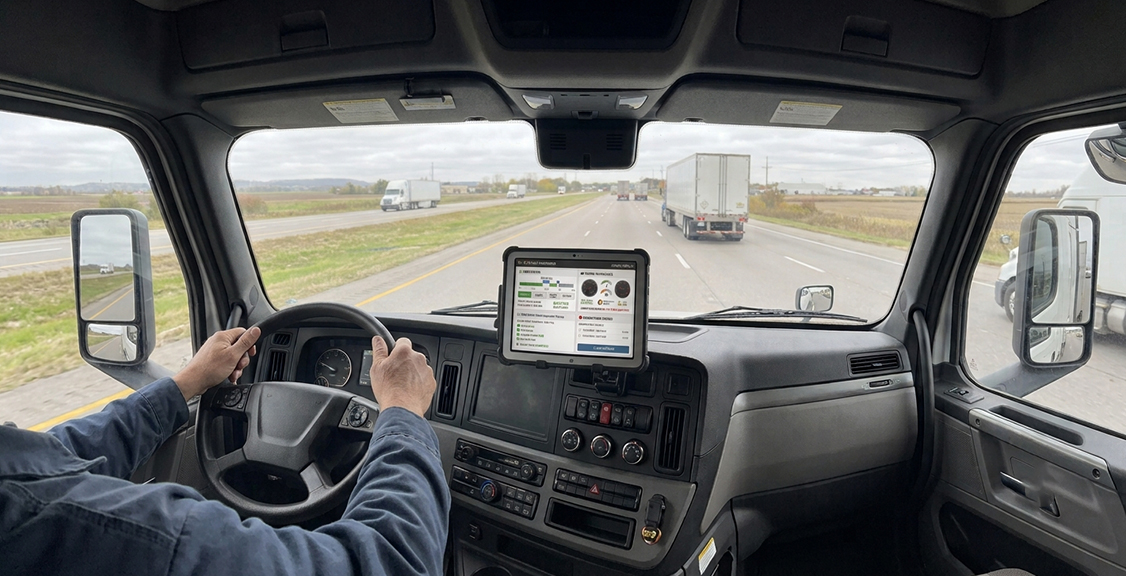
Regular review of ELD data catches a driver approaching a duty limit while there’s still time to plan around it, instead of finding out at a roadside stop.
Two areas fleets should monitor closely are the limited 8-day ELD exception and the standard hours-of-service limits under 49 CFR 395.3. Under FMCSA’s 8-day exception, a driver who is required to prepare RODS on no more than eight days within any rolling 30-day period may use paper RODS instead of an ELD on those days. If the driver is required to prepare RODS on more than eight days within a rolling 30-day period, this limited exception no longer applies and the driver generally must use a compliant ELD unless another exception applies. The 30-day period is rolling and does not reset at the beginning of a calendar month.
Regular log review also matters because CVSA’s 2026 International Roadcheck focused on ELD tampering, falsification, and manipulation. In the final results, inspectors issued 146 out-of-service orders for ELD tampering across the United States and Canada; U.S. inspectors also reported 883 hours-of-service and 214 false-record-of-duty-status out-of-service violations. These results support reviewing logs throughout the year rather than waiting for an inspection campaign. See CVSA’s 2026 International Roadcheck results for the full data.
When a log looks wrong or an exception doesn’t make sense, having someone to call matters as much as the data itself. Every Geosavi device is backed by technical support available 24 hours a day, seven days a week, and reaching our support team gets a driver a straight answer instead of a guess.
How Does ELD Data Support IFTA Reporting?
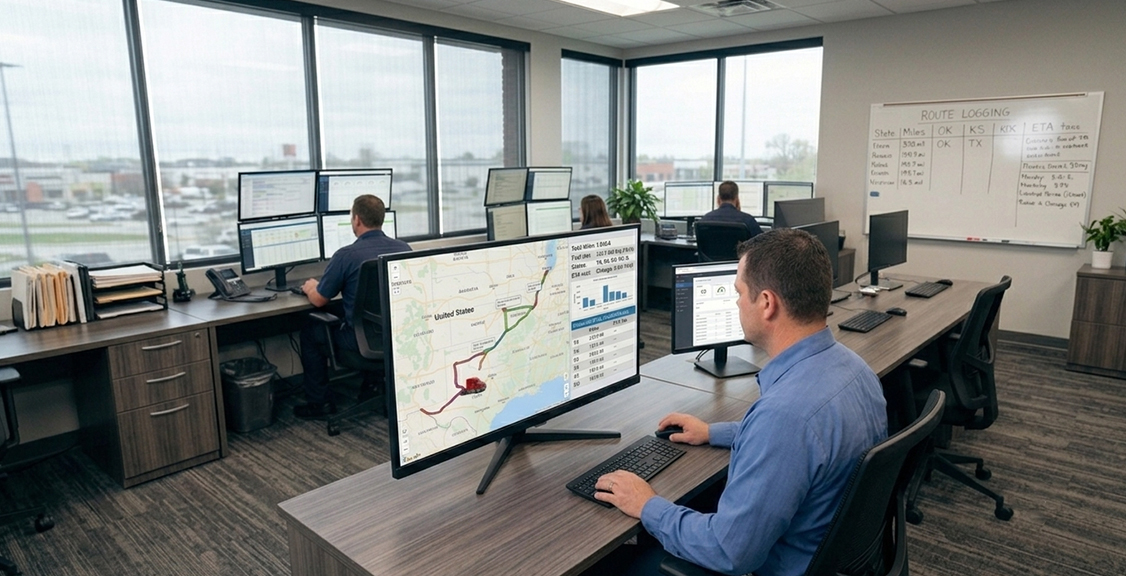
Many fleet-management platforms can use vehicle mileage and location data to support IFTA reporting, but IFTA mileage tracking is not itself part of the ELD data required under 49 CFR Part 395. FMCSA allows ELD providers to offer tax-reporting and fleet-management features in addition to the required ELD functions. Fleets using ELD or telematics data for IFTA should confirm that the platform captures the mileage and jurisdiction information needed for their tax-reporting process.
Using automated mileage and location data can reduce manual recordkeeping and help fleets organize jurisdiction-by-jurisdiction travel information, but the fleet should treat IFTA reporting as a separate tax-compliance function rather than assuming that basic ELD data alone automatically creates a complete IFTA filing record.
Take a closer look at how the ELD platform works if you want to see exactly how the engine connection feeds this data back to your dashboard.
How Long Must You Retain ELD Data?
Motor carriers must retain records of duty status (RODS) and required supporting documents for six months from the date of receipt under 49 CFR 395.8(k)(1). For ELD records, FMCSA also requires a backup copy to be maintained for six months on a device separate from the one where the original data is stored, and the records must be maintained in a manner that protects driver privacy.
Supporting-document requirements are addressed more specifically under 49 CFR 395.11. Motor carriers generally must retain up to eight supporting documents for each 24-hour period a driver is on duty, and drivers must submit supporting documents to the motor carrier no later than 13 days after receiving them. If more than eight documents exist for a 24-hour period, the carrier must retain the earliest and latest time-indicated documents plus six others. These records are kept for the same six-month retention period.
How Can ELD-Related Violations Affect Your FMCSA Safety Record?
ELD data itself does not automatically become a Safety Measurement System (SMS) violation. Roadside inspection violations related to hours-of-service compliance can affect a motor carrier’s SMS results, and FMCSA uses SMS data to help prioritize carriers for monitoring and potential intervention. SMS should not be treated as a single overall “CSA score.”
Recent inspection violations are weighted more heavily than older ones within SMS, so consistent compliance over time matters. Fleets should review their own safety data regularly and address inaccurate or incomplete FMCSA-maintained information through the appropriate review process rather than relying on a simplified score or fixed violation threshold.
How Can You Use ELD Data to Dispute a Violation?
If a roadside inspection or other FMCSA-maintained safety record contains information a driver or motor carrier believes is incomplete or incorrect, the FMCSA DataQs system can be used to request a review by the responsible agency. DataQs is not a general process for disputing every log entry or carrier record; it is used to challenge eligible safety data maintained by FMCSA or reported through participating agencies.
A successful request for review depends on having documentation that supports the correction being requested. Relevant ELD records, properly annotated edits, supporting documents, and other records can help explain what occurred. Under 49 CFR 395.30, edits and additions must be properly documented, and the original ELD information must remain preserved. DataQs provides a formal review process, but submitting a request does not automatically change the underlying record.
Device reliability and support procedures matter because drivers and carriers must follow the malfunction steps in 49 CFR 395.34 when an ELD cannot accurately record required HOS data. Review how a provider documents malfunctions, supports record reconstruction, and helps the carrier meet the repair or replacement deadline. If reliability has been a recurring problem, use the Geosavi price calculator to compare the available platform options.
ELD Data Types and What They’re Used For
| Data Type | What It Captures | Retention Requirement | Primary Use | Governing Citation |
|---|---|---|---|---|
| HOS duty status log | On-duty, driving, sleeper berth, off-duty changes | 6 months | Roadside inspection, HOS violation checks | 49 CFR 395.8(k)(1) |
| Engine diagnostic data | Engine power status, vehicle motion status, vehicle miles, and engine hours | Retained as part of required ELD records where applicable | Supports required ELD engine synchronization and driving records | Appendix A to Subpart B of Part 395 |
| DVIR entries | Defects or deficiencies discovered or reported during vehicle operation | At least 3 months when a DVIR is required | Vehicle inspection, repair, and maintenance compliance | 49 CFR 396.11 |
| Unidentified driving segments | Movement recorded with no driver logged in | At least 6 months from the date of receipt | Review and assignment or annotation of unidentified driving events | 49 CFR 395.32(c) |
| Edit and annotation records | Any change to a log, with a stated reason attached | 6 months, original preserved | Documents corrections to ELD records while preserving the original record | 49 CFR 395.30(c)(2) |
| Malfunction and repair records | Device malfunction notification and repair timeline | Retain documentation sufficient to show the malfunction and corrective action; follow applicable RODS retention requirements | Documents compliance with ELD malfunction procedures and repair/replacement requirements | 49 CFR 395.34 |
| IFTA-supporting mileage data | Jurisdiction crossings and total trip distance | Per applicable state IFTA filing rules | Quarterly fuel tax reporting | Applicable IFTA jurisdiction requirements |
Questions to Ask Before Choosing an ELD Data Platform
Does the platform keep six months of data retrievable without a separate paid add-on?
Motor carriers are responsible for retaining ELD RODS data and required supporting documents for six months under 49 CFR 395.8(k)(1). FMCSA also requires a backup copy of ELD records to be maintained for six months on a device separate from where the original data is stored. Before choosing a platform, confirm that you can retrieve the required records for the full retention period and understand whether the provider charges separately for historical access or archival services.
How does the device connect to the engine, and does it match your trucks?
Confirm that the ELD hardware and vehicle cable are compatible with each vehicle in your fleet. FMCSA requires an ELD to synchronize with the vehicle engine to capture required information such as engine power status, vehicle motion status, miles driven, and engine hours. Depending on the vehicle and hardware, Geosavi applications may use interfaces such as J1939, J1708, or OBD-II, so compatibility should be verified before purchasing or installing equipment.
What happens to a log if the device malfunctions mid-shift?
Ask the provider how it handles ELD malfunctions and how drivers are instructed to maintain required hours-of-service records during a failure. Under 49 CFR 395.34, a driver must note the malfunction and notify the motor carrier in writing within 24 hours. If the malfunction prevents accurate HOS recording, the driver must reconstruct the required RODS and continue recording them using paper logs or another allowable method until the ELD is back in service. The motor carrier generally has eight days from discovery of the malfunction or the driver’s notification, whichever occurs first, to correct, repair, replace, or service the ELD unless FMCSA grants an extension.
Can your back office export a full record for one driver or date range without a support ticket?
Your back office should be able to retrieve the records your fleet is required to maintain without unnecessary delay. For ELD compliance, the driver and motor carrier must be able to produce the required hours-of-service records for inspection, and motor carriers must retain RODS and required supporting documents for the applicable retention period. When evaluating a platform, ask how easily you can retrieve records by driver and date range, what export formats are available, and whether routine access requires provider support.
Is real technical support available, not just an automated help center?
Ask directly what the support hours look like and how a driver reaches an actual person if a device stops transferring data at 2 a.m. A chatbot cannot walk a driver through a malfunction on the shoulder of a highway. Confirm the support model matches how and when your drivers actually run.
Is the exact ELD model still listed on FMCSA’s Registered ELDs list?
Verify the current status of the exact ELD model on FMCSA’s Registered ELDs list rather than relying on an old compliance document or a sales representative’s statement. The devices on that list are self-certified and registered by their providers, and FMCSA can remove devices that fail to meet applicable requirements. If a device is removed, review the specific FMCSA removal notice and replacement deadline rather than assuming every removal creates the same immediate enforcement result.
How does the platform document edits and annotations?
Confirm that the system preserves the original ELD record when an edit is made and requires an annotation explaining the reason for the change. Under 49 CFR 395.30(c)(2), edits and additions must be annotated, and under 49 CFR 395.30(f), the original unedited record must remain preserved. Carrier-proposed edits must also be reviewed by the driver before they take effect.
Does the platform connect DVIR data to HOS logs, or keep them apart?
A connected system lets your back office spot a maintenance issue and a compliance issue from a single dashboard instead of checking two separate tools. Disconnected systems mean someone has to manually cross-reference dates and vehicles, which is where things get missed. Ask for a walkthrough of how the two data sets show up together.
About ELDs and Road Safety
Does organized ELD data actually reduce accidents?
FMCSA estimated that the ELD rule would avoid about 1,844 crashes, 562 injuries, and 26 deaths each year by improving hours-of-service compliance and making driving-time records more reliable. Those estimates were part of the agency’s ELD rulemaking analysis. Good data management can help fleets maintain accurate HOS records and identify compliance issues, but fleets should not treat the FMCSA safety estimates as proof that any particular data-management platform will produce those exact safety results.
What happens if my truck records unidentified driving?
The driver must review unassigned driving time when prompted by the ELD and either claim the time if it belongs to them or indicate that it does not. The motor carrier must then review unidentified driving records and either assign them to the appropriate driver or annotate why the time remains unassigned. Under 49 CFR 395.32(c), the carrier must retain unidentified driving records for at least six months from the date of receipt.
Can old ELD data still lead to a fine?
A violation discovered later can still result in enforcement if the underlying conduct violated applicable HOS or recordkeeping rules. That is why fleets should review ELD records regularly rather than waiting for an audit, investigation, or roadside inspection to uncover a problem.
How can engine-connected data help identify log discrepancies?
Engine synchronization records required information such as engine power status, vehicle motion status, miles driven, and engine hours. Comparing that information with duty-status entries can help identify discrepancies, but the complete ELD record and supporting documents should be reviewed before reaching a conclusion.
What’s the difference between a malfunction and a failed data transfer?
An ELD malfunction means the device has failed one or more required technical functions, such as recording, synchronization, positioning, or data transfer. A failed roadside transfer can also be a data-transfer diagnostic event rather than a full malfunction. If one transfer method fails and another is available, the safety official may try the alternate method or review the required records on the ELD display or printout. A persistent unconfirmed transfer problem can become a data-transfer compliance malfunction.
How does CVSA’s Roadcheck focus connect to daily data habits?
CVSA’s 2026 International Roadcheck included ELD tampering, falsification, and manipulation as a driver focus area. Fleets that maintain accurate logs, resolve unidentified driving events, and document legitimate edits and annotations throughout the year are better prepared for roadside inspections than fleets that wait until an enforcement event to review their records.
About Choosing the Right ELD Provider
How do I check if my current ELD is still FMCSA registered?
Check the exact ELD model against FMCSA’s current Registered ELDs list rather than relying on the device’s status when it was purchased. FMCSA can remove devices that fail to meet applicable requirements, so fleets should verify registration status periodically and review any removal notice that applies to the device they use.
What happens if my provider gets removed from the registered list?
If FMCSA removes an ELD from its Registered ELDs list, review the specific removal notice for that device and follow the replacement deadline and temporary recordkeeping instructions it provides. Recent FMCSA removal notices have often allowed up to 60 days for replacement, but fleets should rely on the notice for the specific device rather than assuming every removal follows the same timeline. After the applicable deadline, continued use of the removed device can result in citation and out-of-service enforcement under FMCSA and CVSA criteria.
Does a tablet-based ELD handle data differently than a hardwired unit?
Both tablet-based and other ELD configurations must meet the same applicable FMCSA technical requirements. What matters is that the ELD is properly synchronized with the vehicle and can record, display, and transfer the required data. When evaluating hardware, confirm that the tablet, mounting method, vehicle interface, and cable are compatible with the operating environment and the vehicles in your fleet.
Will switching providers put my historical data at risk?
Switching providers does not eliminate the motor carrier’s obligation to retain required RODS and supporting documents for the applicable retention period. Before changing providers, confirm how historical records will be exported, what formats are available, and how your fleet will continue to retrieve required records after the old account is closed. Keep a complete, accessible copy of the records your fleet is required to retain rather than assuming the outgoing provider will remain available indefinitely.
What’s the real difference between a basic ELD and a full data platform?
A compliant ELD must perform the functions required by FMCSA’s technical specifications. A broader fleet-data platform may add features such as DVIR integration, exception reporting, vehicle data, IFTA-supporting mileage tools, analytics, and organized historical access. These additional features can help a fleet manage operations and compliance, but they are separate from the minimum functions required for an ELD to comply with FMCSA rules. Use the Geosavi price calculator to compare which features are included with each option.
Does a local driver need a different data setup than a long-haul driver?
Local operations sometimes qualify for the short-haul exemption, which changes recordkeeping requirements. Our guide on Do Local Drivers Have to Use ELD? walks through how that exemption changes what needs to be logged.
Is there a fleet size where data management stops mattering?
No. Accurate ELD records and organized compliance data matter whether a carrier operates one truck or a larger fleet. A one-truck owner-operator may have fewer records to manage, but roadside inspection violations and recordkeeping problems can still affect the carrier’s compliance history. The right level of data-management functionality depends on the fleet’s operation and reporting needs, not simply the number of vehicles. If you operate a box truck and are unsure which ELD rules apply, see our guide to ELD requirements for box trucks.
Where can I find more on ELD basics before comparing providers?
Our FAQ answers the most common setup and compliance questions drivers and fleet managers ask before switching platforms.
Conclusion
ELD data can help fleets manage hours-of-service compliance more effectively when the records are reviewed consistently and kept organized. Regular review can help identify approaching HOS limits, unresolved driving events, record inconsistencies, and other issues before they become larger compliance problems. The same connected data may also support separate fleet functions such as IFTA reporting, maintenance records, and documentation used in a DataQs request or other compliance review.
In 2026, accurate ELD records remain an important part of fleet compliance. CVSA’s International Roadcheck included ELD tampering, falsification, and manipulation as a driver focus area, and FMCSA continues to remove devices from its Registered ELDs list when applicable requirements are not met. Fleets that review their records routinely, verify device status, and address problems promptly are better positioned for roadside inspections, audits, and investigations.
If your back office is still guessing more than it should about what your data actually shows, call us at (800) 261-4361 or reach out to the Geosavi team and we will walk through what a connected platform would look like for your trucks.