Key Takeaways
- GPS tracking can show a vehicle’s latest reported position and trip history; it does not by itself assign loads, optimize routes, or show a driver’s remaining legal hours.
- Geosavi documents an interactive fleet map, trip history, configurable alerts and reports, and an API. Dispatch, ELD, or customer-system workflows depend on the services and integrations configured for your fleet.
- Position accuracy and freshness vary with satellite reception, device reporting settings, cellular coverage, and platform processing. A map pin is not a guaranteed instant or exact location.
- For drivers subject to ELD rules, GPS fleet tracking does not replace compliant records of duty status. Check HOS availability separately before using it in dispatch decisions.
- Under 49 CFR 395.8(k) and 395.11, required records of duty status and qualifying supporting documents have a six-month retention rule; this is not a blanket federal requirement to store every GPS point for six months.
- Compare subscription, installation, integration, and training costs with actual check-in volume and route complexity before estimating a return.
| Table of Contents |
|---|
| Manual Dispatch Problems |
| What GPS Changes |
| GPS vs ELD Records |
| Protecting Driver Hours |
| When Manual Still Works |
| Side-by-Side Comparison |
| Questions to Ask |
| GPS Dispatch FAQs |
Introduction
If dispatch relies on calls, texts, and a whiteboard, confirming vehicle locations can slow load planning. A tracking map may reduce routine check-ins by showing each equipped vehicle’s latest reported position, but drivers still need a safe way to communicate changes that a map cannot explain.
Location is only one part of a dispatch decision. A dispatcher also needs driver availability, remaining hours where HOS rules apply, load details, traffic, and customer requirements. GPS trip records and ELD records serve different purposes; review discrepancies rather than assuming either system automatically reconciles them.
This guide compares manual dispatch with location-assisted dispatch, explains where separate dispatch or ELD tools are needed, and outlines when the added visibility is worth the cost.
If you want to see the full GPS tracking platform before reading further, our GPS fleet tracking walks through every feature and hardware option we offer. If you would rather talk it through directly, our team is at (800) 261-4361.
What Goes Wrong When You Dispatch Without Live Location Data?
Without a tracking feed, a dispatcher may rely on the last driver update or an existing dispatch system. That can be sufficient for predictable routes, but it may leave more location questions to resolve when plans change.
The Check-In Cycle Eats Your Back Office Time
Some fleets use calls and messages for routine position checks. The burden depends on fleet size, route variability, and the tools already in place. Count those check-ins before estimating how much time a tracking platform might save.
Customer Arrival Estimates Drift Away From Reality
A recent vehicle position can help a dispatcher revise an ETA, but the map alone does not account for traffic, weather, loading delays, or the route the driver will take. Reliable customer updates still require context and a communication process.
Dispatch Records Become Harder to Reconcile
Dispatch notes, trip records, and ELD records can be compared when reviewing HOS documentation. Differences are not automatically violations: timestamps, location precision, and the purpose of each record can differ. Keep required supporting documents under the applicable FMCSA rules and investigate material discrepancies.
How Does GPS Tracking Change Daily Dispatch Decisions?
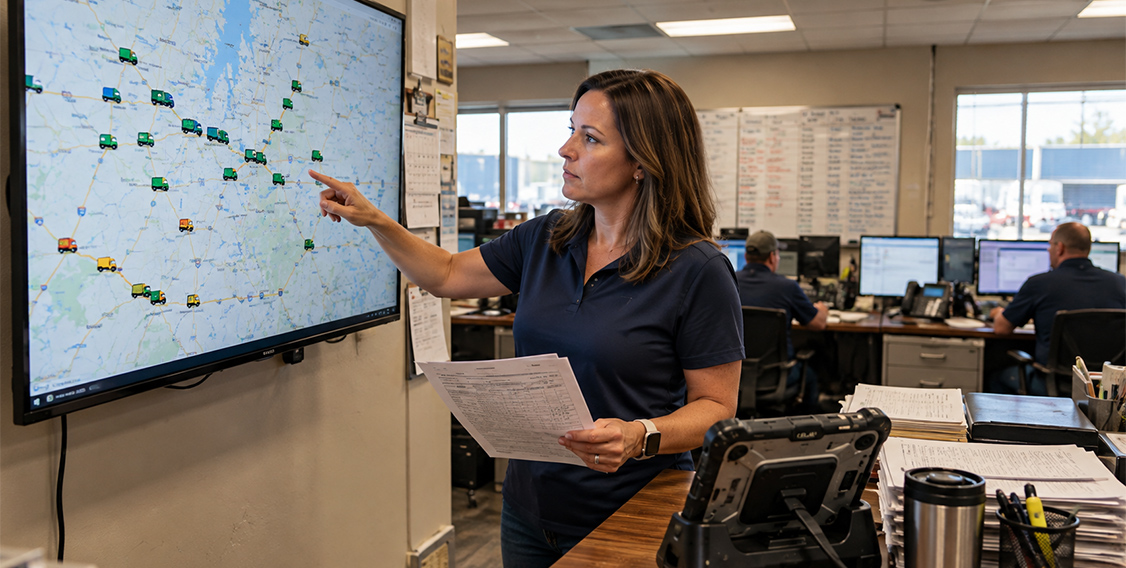
GPS tracking adds a map of the latest reported positions of equipped vehicles. It can inform a dispatcher, but load assignment, route optimization, driver messaging, and remaining-hours visibility require people, separate software, or configured integrations.
Load Assignment Starts With Actual Positions
A map can help identify vehicles near a pickup. The dispatcher still needs to confirm whether a vehicle is empty, suitable for the load, and available under applicable HOS rules. Geosavi’s GPS fleet tracking platform documents an interactive map, trip history, and optional driver identification; it does not establish that every account displays open loads or ELD hours on the same screen. Ask which dispatch and ELD integrations are available for your setup.
Drivers Get Fewer Interruptions
A reliable location feed may reduce routine position-check calls. Dispatchers still need to contact drivers about load details, delays, safety, and changes that location data does not explain. Set a communication policy that avoids asking drivers to handle messages while driving.
Maintenance Windows Fit Into the Schedule
Location and trip history can help a team choose a practical place and time for service, alongside maintenance records and driver availability. If you already pair electronic logs with inspection reports, our guide to ELD and DVIR integration explains how those two data sources work together for vehicle safety and maintenance planning.
Does GPS Tracking Replace Your ELD Records?
No. GPS tracking is a fleet-visibility tool; for drivers subject to the ELD rule, a compliant ELD records duty status. An ELD exception may apply to a particular driver or operation, but a separate GPS platform does not itself replace required records of duty status.
What Your ELD Records Under Federal Law
Under the ELD technical standard Appendix A, an ELD records location at each duty status change and at 60-minute intervals while the truck is moving. That location is intentionally recorded at reduced precision to protect driver privacy, generally within about a 1-mile radius during normal driving and a wider radius during personal conveyance. That design makes ELD data a compliance record, not a live tracking feed suitable for dispatch planning.
What GPS Tracking Adds on Top
A dedicated tracking device can report vehicle positions at intervals configured for the device and service. Geosavi also documents trip history, configurable geofences and alerts, reports, and driving-event monitoring where supported by the hardware and account. GPS tracking does not substitute for duty-status records required under 49 CFR Part 395. GPS accuracy can worsen around buildings or under trees, and cellular gaps or processing can delay what appears on the map; see GPS.gov’s accuracy guidance. A last reported position is not proof of a vehicle’s exact current location.
How the Two Work Together in Your Records
FMCSA lists dispatch records, trip records, and certain electronic communications among the supporting-document categories in 49 CFR 395.11. Carriers must retain required records of duty status and supporting documents for six months under 395.8(k), subject to the rule’s qualifications. That does not require every raw GPS position to be saved for six months. If you plan to use a GPS export as a supporting document, confirm it contains the required information and can be retained and produced. Comparing it with ELD data may help investigate a discrepancy; it does not guarantee an audit result.
Geosavi offers an ELD service and a separate GPS tracking platform. Confirm the current ELD listing and the hardware, subscription, and data-sharing options that fit your vehicles before relying on a combined workflow.
How Does Live Location Data Protect Your Drivers Hours?
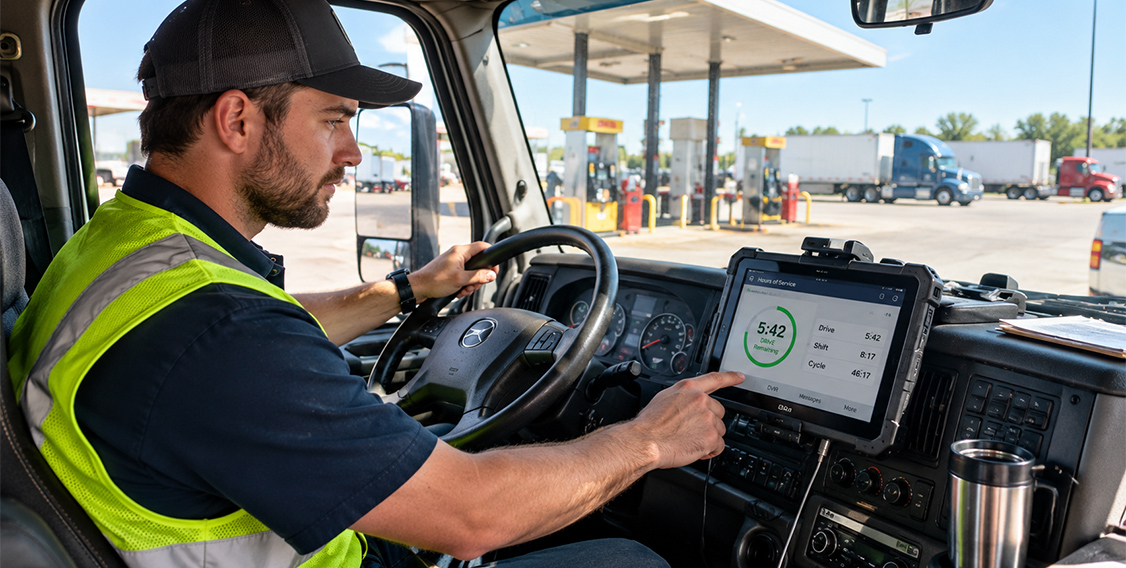
Location alone cannot tell a dispatcher how many legal hours a driver has left. Check the driver’s current HOS information in a compliant ELD or authorized dispatch integration, then consider travel time, loading, and possible delays before assigning a load.
Planning Around the 11-Hour and 14-Hour Limits
Under the FMCSA HOS regulations, property-carrying drivers are generally limited to 11 hours of driving within a 14-hour on-duty window, with a 30-minute break required after 8 cumulative hours of driving under 49 CFR 395.3. Where an ELD or dispatch integration makes reliable remaining-hours data available, dispatchers can use it with the latest reported location to assess an assignment. They still need to review the driver’s record and plan for delays; no map or estimate guarantees compliance.
Keeping Dispatch Pressure Within Legal Limits
Location visibility does not change a carrier’s safety obligations. FMCSA’s ELD harassment guidance explains the specific prohibition in 49 CFR 390.36 for ELD data or technology used with an ELD; other safety and anti-coercion rules may also apply. Do not pressure a driver to drive while fatigued or beyond applicable limits. We want to be direct about this: live location data is a planning tool, and your dispatch team should treat it that way rather than as a way to push drivers toward faster turnarounds. If your drivers want to understand how ELD records connect to road safety and fatigue, our article on how ELDs promote safer roads explains the connection clearly.
Fewer Hours Surprises at the End of the Day
Checking position and remaining hours together, when both are available, can give a dispatcher more time to consider a relay, reassignment, or customer update. Build that review into the workflow rather than assuming GPS automatically flags an HOS problem.
When Does Manual Dispatch Still Make Sense for Your Fleet?
Not every fleet needs GPS tracking, and we want to be clear about that. Manual dispatch can still work well for very small fleets, fixed daily routes, and local operations where drivers return to the same yard each day. The case for GPS tracking gets stronger as your truck count, route variety, and customer update requests grow.
Small Fleets Running Predictable Routes
If you run two or three trucks on the same routes every day, your dispatcher may already know where every truck is at any given hour without looking at a map. In that situation, the time saved by GPS tracking is modest, and a phone call now and then may be all the coordination your operation needs. The business case depends on actual check-in time, subscription and installation costs, and any useful reporting or alerting needs.
Local and Short-Haul Operations
Many local fleets operate under the short-haul exemption. Under the short-haul exemption regulation, drivers who meet all conditions in 49 CFR 395.1(e)(1), including the 150-air-mile radius and return within 14 consecutive hours, may use carrier time records instead of records of duty status. The exception is not limited to CDL holders, and other HOS limits still apply. For those fleets, dispatch needs often center on job scheduling rather than long-distance tracking. Our guide on ELD requirements for local trucking covers where that exemption begins and ends in detail.
A Hybrid Approach as Your Fleet Grows
Many fleets add location visibility to longer or less predictable runs first, while keeping phone-based dispatch for routine local work until they see where live data saves the most time. That approach lets your team adjust at a manageable pace before changing your whole dispatch process at once. Because exemption rules and record requirements depend on your specific operation, we recommend confirming the details with your compliance team or FMCSA directly before changing how you keep records.
GPS Tracking vs Manual Dispatch: Side-by-Side Comparison
| Factor | Manual Dispatch | GPS Tracking |
|---|---|---|
| How truck location is found | Phone calls, texts, driver check-ins | Latest reported position on an interactive map; update timing varies |
| Customer arrival estimate accuracy | Based on last reported driver position | Can use recent position; ETA also needs route, traffic, and stop context |
| Driver interruptions while moving | Check-ins as needed by the dispatch process | May reduce routine location calls; other communication remains |
| Load matching method | Dispatcher uses calls, notes, and any existing software | Map shows proximity; availability and HOS require separate checks |
| Driver behavior monitoring | Depends on other tools and records | Supported events depend on device and service settings |
| Geofencing and location alerts | May be available through other software | Configurable geofences and notifications where supported |
| Hours of service planning | Requires separate review of driver HOS records | Possible with ELD data or a configured integration |
| Record consistency for audits | Notes should be retained when required and reconciled | Trip reports may help compare records; no automatic reconciliation |
| Replaces ELD requirement | No | No |
| Best fit | Very small fleets on fixed local routes | Growing fleets with varied routes and customer update needs |
With those differences laid out, the next step is working through the questions that determine whether switching from manual dispatch makes sense for your specific operation.
Questions to Ask Before Switching From Manual Dispatch
How much of your dispatchers day goes to location check-ins?
Track the calls and messages your team spends confirming truck positions over a normal week. If location checks take significant time, test whether tracking actually reduces them on your routes. If check-ins are rare and brief, the gain will be smaller and the business case weaker. Start with an honest count before you commit to anything.
Does your current ELD appear on the FMCSA registered list?
Before adding any new system, confirm your compliance foundation is sound by checking your device against the FMCSA registered ELD list. A dispatch upgrade does not fix a problem with an unregistered or removed ELD, and your drivers duty status records still depend on that device being listed and in good standing.
Will your GPS data and ELD records live in one place or two?
Separate systems mean your back office has to compare two sets of records whenever questions come up. A configured export or integration may make it easier to compare GPS trips and ELD logs, but confirm what can actually be viewed or exported. Ask how records are exported, who controls access, and whether the two systems can produce a consistent timeline if a log is ever challenged.
How long will location records be retained?
Required records of duty status and qualifying supporting documents generally have a six-month retention period under 49 CFR 395.8(k)(1); not every GPS point is a required supporting document. Ask what GPS reports are retained, for how long, and whether they can be exported if needed. Retention periods vary widely by platform, so get the answer in writing before you commit to a contract.
What will this cost per truck compared to dispatcher time?
Compare the monthly cost of location visibility against the hours your dispatchers currently spend on check-in calls. Include subscription, devices, installation, integration, and training. Our ELD price calculator can help estimate ELD costs, but confirm GPS and dispatch pricing separately.
How will your drivers respond to being tracked?
Driver responses vary. Explain what location data is collected, who can access it, how long it is kept, and how it will be used. Take the time to explain what your office will see, how it will be used, and that it will not be used to pressure anyone past their legal hours. That conversation matters as much as the hardware decision itself, and skipping it tends to create resistance that is difficult to reverse once a system goes live.
Does your fleet qualify for the short-haul exemption?
If most of your drivers operate under 49 CFR 395.1(e)(1), your compliance records and dispatch needs look different from a long-haul fleet. Confirm which drivers qualify before deciding how much tracking you need, because mixed operations often benefit from treating local and long-haul routes as separate planning problems with different tool requirements.
Who on your team will own the data and act on it?
Location data only helps if someone reviews it and makes decisions from it. Decide in advance whether your dispatchers, a fleet manager, or both will own that responsibility. Without a clear owner, a map may add data without improving decisions.
GPS Dispatch FAQs
GPS Tracking and Compliance Basics
Is GPS tracking required by FMCSA?
No federal rule generally requires a separate GPS tracking platform. Drivers required to prepare records of duty status generally need a compliant, registered ELD unless an ELD exception applies. The ELD records limited location data as part of the duty-status record. GPS tracking is a fleet management and dispatch tool that operates alongside that compliance requirement, not as a replacement for it.
Can GPS tracking data replace my drivers ELD logs?
No. GPS data does not meet the requirements for a record of duty status under 49 CFR Part 395. Your drivers generally still need a registered ELD unless a specific exemption applies to their operation, and we always recommend confirming that with your compliance team or FMCSA directly.
Why is ELD location data less precise than GPS tracking?
The ELD technical standard intentionally records location at reduced precision, roughly within a 1-mile radius during normal driving, to protect driver privacy. That makes it suitable for a compliance record but not for real-time dispatch planning, which is why the two systems serve different purposes and are used together rather than interchangeably.
Can dispatch records be reviewed during an audit?
Yes, dispatch records can generally be reviewed as supporting documents under 49 CFR 395.8(k). Keep required documents accurately and investigate material differences with ELD logs; matching GPS and ELD records does not itself prove compliance.
How long do I need to keep supporting dispatch documents?
Carriers generally must retain records of duty status and supporting documents for 6 months under 49 CFR 395.8(k)(1). There is no blanket federal six-month rule for every GPS point. If a GPS report is used as a required supporting document, ensure it meets the applicable information and retention rules; otherwise choose a retention policy suited to your operational and legal needs.
Can my office use location data to push a driver to keep driving?
No. Under 49 CFR 390.36, carriers cannot use ELD data to harass drivers, which includes pressuring them to drive while fatigued or past their hours of service limits. The specific 390.36 harassment rule requires ELD information or technology used with an ELD; separate coercion and safety rules can apply to other pressure. In all cases, dispatch should respect legal limits and driver fitness.
Choosing Between GPS and Manual Dispatch
Is GPS tracking worth it for a fleet of three trucks?
It depends on your routes. Fleets running the same local routes every day may see little benefit, while variable routes may give even a small fleet useful visibility. Measure the effect against your current process and total cost. We recommend tracking how many check-in calls happen in a typical week before deciding.
Will GPS tracking reduce calls to my drivers?
It may reduce routine location calls if devices report reliably and your team uses the map. Drivers will still need to discuss assignments, delays, and safety; avoid messaging them while driving.
Can I switch from manual dispatch gradually?
Yes, and that is often the approach we suggest. Many fleets start by adding location visibility to longer or less predictable routes while keeping phone-based dispatch for routine local work until they see where live data saves the most time.
Does GPS tracking help with customer arrival estimates?
A recent position can improve an ETA when combined with route, traffic, stop, and driver information. GPS tracking alone does not calculate or guarantee an accurate arrival time.
Do local fleets need GPS tracking?
Not necessarily. Local fleets operating under the short-haul exemption often focus more on job scheduling than long-distance tracking, and the value of a GPS platform depends on how predictable their daily routes are. Our guide for local drivers on log book rules covers what those fleets are actually required to keep.
What should I confirm before adding GPS tracking to my fleet?
Confirm ELD requirements for your drivers, the GPS reporting interval and coverage on your routes, available reports and integrations, data retention, total cost, and who will act on the information. For anything specific to your situation, check with your compliance team or FMCSA directly before changing your records process.
Conclusion
Adding GPS tracking can give dispatchers more timely vehicle-position reports and may reduce routine check-ins. It does not automatically assign loads, optimize routes, calculate HOS availability, or guarantee customer ETAs. For drivers subject to ELD rules, compliant duty-status records remain necessary regardless of dispatch method.
Manual dispatch can still serve small, predictable operations. For more variable routes, evaluate whether recent location reports, alerts, and trip history improve your team’s decisions enough to justify the cost. Keep GPS and ELD records distinct, and verify any combined workflow before relying on it.
We back every Geosavi Compliance Now ELD with a 30-day money-back guarantee and 24/7 technical support. If you want to talk through how our ELD and GPS tracking platform fit your current dispatch setup, schedule a call with our team or reach us at (800) 261-4361.