Key Takeaways
- Fines for hours-of-service violations can reach up to $19,246 against a motor carrier and up to $4,812 against a driver, with knowing falsification reaching $15,846 per entry. These are maximum civil penalty amounts adjusted annually for inflation under the FMCSA civil penalty schedule.
- The 14-hour rule comes from 49 CFR Part 395 HOS rules, and the clock keeps running through loading, fueling, and paperwork, not just driving time.
- Hours-of-service violations climbed from 410,000 in 2023 to more than 500,000 in 2025, according to RigDig data cited by Overdrive in April 2026.
- CVSA’s 2026 International Roadcheck ran May 12 through 14 with ELD tampering and log integrity as the main focus, and CVSA recorded 58,382 falsification violations in 2024 alone.
- Adopting the ELD mandate is projected to prevent 1,844 crashes, 562 injuries, and save 26 lives every year, according to FMCSA’s own published estimates.
- HOS citation rates dropped from 1.19 percent in December 2017 to 0.69 percent once full enforcement began in April 2018, according to FMCSA enforcement data.
- 80 ELD devices have been removed from the FMCSA-registered list since January 2025, with the most recent removal, TRUCKSTAFF ELD, on June 23, 2026, which means checking your device status regularly matters as much as watching your clock.
- A driver stopped for a 14-hour clock violation is placed out of service right at the roadside until 10 consecutive hours off duty have been completed.
Introduction
Every driver running under FMCSA authority knows the feeling of watching the clock tighten up on a bad day. A shipper takes two hours longer than promised, traffic backs up outside the yard, and suddenly the math on your day stops working. The 14-hour rule does not care why the day went sideways. Once that window closes, driving has to stop, and the consequences show up fast at a roadside inspection.
This matters because a single 14-hour violation touches more than one paycheck. It can trigger an out-of-service order that strands your truck and your freight, a civil penalty that lands directly on your business, and a mark on your CSA record that other carriers, insurers, and FMCSA itself can see for two years. For an owner-operator running solo, that one bad day can turn into a bad month. For a small fleet, one driver going over can pull the whole operation’s safety score down.
Below, you’ll find what the 14-hour rule actually covers, what happens the moment you go over it, what the penalties look like in 2026, and how the violation follows your CSA score afterward. You’ll also see the most common reasons drivers end up in this spot and what actually works to prevent it, since most 14-hour violations trace back to a handful of preventable causes rather than bad driving.
Tracking hours accurately starts with the right setup, and your team can see how an ELD platform built around your trucks handles the 14-hour window before making any changes. If you have questions specific to your fleet, you can reach out anytime.
What Is the 14-Hour Rule?
The 14-hour rule gives you a 14-hour window to finish all your driving after coming on duty following 10 consecutive hours off. That window starts the moment you go on duty or start driving, whichever comes first, and it does not pause for loading, fueling, breaks, or paperwork.
This is different from the 11-hour driving limit, which only counts actual drive time. The 14-hour clock counts everything. A driver who comes on duty at 6 a.m. has until 8 p.m. to finish driving that day, even if only 8 of those hours were spent behind the wheel. Detention at a shipper, a slow fuel stop, or a long pre-trip inspection all eat into that window and never come back, regardless of how much drive time is left on the 11-hour limit.
The rule sits inside 49 CFR Part 395 HOS rules, which also covers the 11-hour driving limit, the 30-minute break requirement, and the 60/70-hour weekly caps. Your ELD dashboard should show the 14-hour window on its own, separate from the 11-hour driving count, so you always know exactly how much time is left before the window closes rather than how much driving time remains.
Your dashboard sits on the FMCSA-registered ELD list and displays both clocks side by side, so a tight day shows up early instead of catching you at the last minute.
What Happens When You Go Over Your 14-Hour Clock?
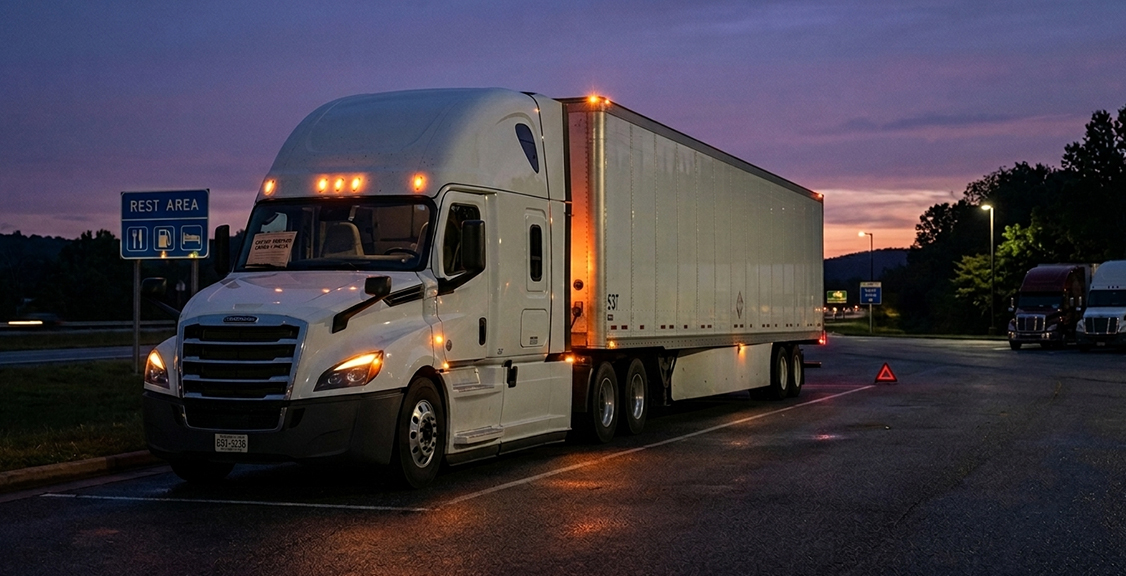
Going over the 14-hour window means an automatic out-of-service order at the roadside. The driver cannot legally drive again until a full 10 consecutive hours off duty has been completed, and that time has to happen wherever the inspector stops the truck.
This is one of the few HOS violations that stops the truck immediately rather than showing up later as a paperwork issue. If an inspector pulls your ELD data and sees driving activity past the 14-hour mark, the truck sits until the reset is finished, whether that is a rest area, a truck stop, or the shoulder of the highway. The freight does not move, the delivery window slips, and the driver logs zero miles during the downtime.
Repeated violations raise the stakes further. A pattern of 14-hour clock violations on a driver’s record, or across multiple drivers at the same carrier, can trigger a full compliance review from FMCSA. That review looks at driver files, maintenance records, and HOS history well beyond the single incident that got flagged. To see how these findings connect to broader safety and maintenance records, your team can review the guide on ELD and DVIR integration.
What Fines Apply to a 14-Hour Rule Violation?
A 14-hour clock violation carries a civil penalty that can reach up to $19,246 against the motor carrier and up to $4,812 against the driver, with the exact amount depending on the severity of the violation and the carrier’s prior history.
These are maximum civil penalty amounts under the FMCSA civil penalty schedule referenced above, adjusted every year for inflation under federal law, so the ceiling on these penalties moves upward annually rather than staying fixed. An inspector or FMCSA field office decides the actual fine based on how far over the clock the driver was, whether logs were altered to hide the violation, and whether the carrier has a history of similar problems.
If a driver or dispatcher edits logs to cover up time spent over the 14-hour window, that turns a single HOS violation into a falsification case. Knowing falsification carries a maximum penalty of $15,846 per false entry, separate from the underlying HOS fine, and it carries far more weight in a compliance review than an honest violation that got logged correctly. Falsifying records is also treated as a federal matter, not just a civil one, so the financial penalty is only part of the risk.
How Does a 14-Hour Violation Affect Your CSA Score?
A 14-hour clock violation adds points to your Hours-of-Service Compliance category inside your CSA record. Enough violations in that category can prompt FMCSA to open a full compliance review.
Violations stay visible in your CSA record for 24 months from the date of the inspection. During that window, the violation affects how carriers, brokers, and insurance companies see your safety profile, and it factors into how FMCSA tracks carrier compliance through the FMCSA Safety Measurement System. Out-of-service violations, which is exactly what a 14-hour clock violation triggers, carry weight in that scoring beyond a violation that does not result in an out-of-service order. If a driver believes an inspector made an error on the violation, the FMCSA DataQs system is the official channel for requesting a review and correction of that record.
Keeping your own duty status records organized, with every status change logged and time-stamped, makes it far easier to pull supporting documentation quickly if a violation ever needs to be disputed through DataQs.
What Causes Most 14-Hour Violations?
Most 14-hour violations come down to detention time, tight scheduling, or dispatch pressure rather than a driver deliberately pushing past the limit.
Detention at shippers and receivers is the single biggest culprit. A driver can plan a trip perfectly and still lose two or three hours waiting at a dock, and that time comes straight out of the 14-hour window with nothing gained. Tight scheduling compounds the problem when a route gets built assuming no delays, leaving zero buffer for traffic, weather, or a slow loading dock. In practice, a lot of 14-hour violations start with a dispatch decision made without visibility into how close a driver already is to the end of their window, rather than a driver choosing to push past the limit on their own.
Coercion is a separate but related issue, and it happens when a dispatcher or carrier pressures a driver to keep driving after the clock should have stopped, or threatens a driver’s job or pay for refusing to break the rule. That kind of pressure crosses into a formal violation category of its own, distinct from the HOS violation itself, with its own reporting channel through the FMCSA coercion complaint process.
Equipment issues play a smaller but real role too. A malfunctioning ELD, or a device that has been pulled from FMCSA’s approved list, can leave a driver confused about how much time is actually left on the clock. FMCSA has removed 79 devices from its registered list since January 2025, with the most recent removal on May 20, 2026 covering 12 devices. Carriers using an affected device have until July 20, 2026 to replace it before facing citation under 49 CFR 395.8(a)(1) and an immediate out-of-service order. Confirming your device is still on the FMCSA-registered ELD list is worth doing regularly rather than assuming it still qualifies. If your device is ever flagged as malfunctioning or removed from the list, your support team can walk through a replacement before it turns into a bigger problem.
How Can You Avoid Going Over Your 14-Hour Clock?
The most reliable way to avoid a 14-hour violation is building buffer time into every trip plan and watching the clock in real time rather than estimating it from memory.
Route planning that accounts for likely detention, not just drive time, catches most problems before they start. If a shipper has a history of long dock times, plan the day around that reality instead of hoping it goes faster this time. Real-time visibility into the clock matters just as much as planning. A driver who can see exactly how much window is left, updated automatically as the day goes on, catches a tight day early enough to adjust rather than discovering with only minutes left that the window is about to close.
Clear communication between dispatch and drivers closes the rest of the gap. When dispatch can see where a driver stands on their clock before assigning the next load, schedules get adjusted before the clock becomes a problem instead of after. Your dispatch and driver views should pull from the same clock, so checking on remaining hours does not cost the driver minutes they don’t have left to finish the run.
Your online portal gives dispatch and drivers a shared, real-time view of HOS status, and it works across both USA and Canada Hours of Service rules for fleets running cross-border freight.
How Does the 14-Hour Rule Compare to Other HOS Limits?
| HOS Limit | What It Covers | Maximum Allowed | What Triggers Out of Service | Regulation |
|---|---|---|---|---|
| 14-Hour Window | Total on-duty time before driving must stop | 14 consecutive hours | Driving after the window closes | 49 CFR 395.3 |
| 11-Hour Driving Limit | Actual drive time only | 11 hours after 10 off duty | Driving more than 3 hours past the limit | 49 CFR 395.3 |
| 30-Minute Break | Required break after driving time | Break needed after 8 hours driving | Driving past 8 hours without the break | 49 CFR 395.3 |
| 60/70-Hour Weekly Limit | Total on-duty time over 7 or 8 days | 60 hours in 7 days or 70 in 8 days | Driving after the weekly cap is reached | 49 CFR 395.3(b) |
| Short-Haul CDL Exemption | 150 air-mile radius drivers | Exempt from standard RODS if conditions are met | Exceeding the radius or hours limit | 49 CFR 395.1(e)(1) |
| Sleeper Berth Split | Off-duty time split between berth and off-duty | 7 consecutive hours plus 2 off duty | Splits that do not meet minimum periods | 49 CFR 395.3 |
Drivers running short-haul routes under the 150 air-mile radius may qualify for a different set of requirements entirely. For a full breakdown of who qualifies, see the local drivers ELD guide.
Questions to Ask Before Choosing Your ELD System
Is your ELD showing your 14-hour window in real time, not just drive time remaining?
Some devices only show hours of driving left and leave the on-duty window buried in a separate screen. A driver checking the wrong number can believe they have more room than they actually do. Confirm your device puts the 14-hour clock front and center, not just the 11-hour driving count.
Does your dispatch team have visibility into driver clocks before assigning loads?
If dispatch is building schedules without seeing where each driver stands on their clock, violations become a matter of when, not if. A shared dashboard between drivers and dispatch closes that gap and lets loads get adjusted before a driver runs out of window.
How does your current system handle detention time at shippers and receivers?
Detention is the leading cause of 14-hour violations, and a system that tracks it separately from drive time helps you spot problem locations before they cost you another violation. Ask whether your platform flags long dock times automatically or if someone has to notice it manually.
What happens on your platform if a driver’s ELD malfunctions mid-shift?
A malfunctioning device can leave a driver guessing about their remaining window at the worst possible time. Ask how quickly a replacement device reaches the truck and whether paper log backup instructions are built into the process.
Is your fleet’s HOS data organized well enough to respond to a DataQs dispute quickly?
If a violation gets disputed through the FMCSA DataQs system, you need clean, time-stamped records ready to submit fast. Ask whether your current system stores that data in a format you can pull without digging through separate logs.
Does your provider support both USA and Canada Hours of Service rules?
Cross-border runs need a platform that handles both rule sets correctly, since the windows and limits are not identical. Confirm this before committing if any part of your fleet crosses the border.
What kind of support is available if a driver goes over the clock at 2 a.m.?
HOS problems do not wait for business hours. Ask whether the provider offers live support around the clock or only during a standard office window, since a stranded driver at night needs an answer immediately, not the next morning.
How does the platform document coercion or dispatch pressure if it happens?
If a driver ever needs to report being pushed to drive past the 14-hour window, having a clear record of communications and assigned loads matters. Ask whether your system keeps a searchable history of dispatch instructions tied to each trip.
FAQ: About ELDs and Road Safety
Does the 14-hour clock pause if I stop for lunch or fuel?
No, the 14-hour window keeps running through breaks, fuel stops, and meals. Only qualifying off-duty time of at least 10 consecutive hours resets the clock. This is different from the 30-minute break requirement, which is a separate rule tied to driving time rather than the 14-hour window itself.
Can I extend my 14-hour window for bad weather?
Yes, the adverse driving conditions exception can extend the window by up to 2 hours, but it only applies to conditions that were not known or forecast at the start of the shift. Ordinary rush-hour traffic does not qualify. The exception has to be documented on the log with the specific condition that caused the delay.
Does detention time at a shipper count against my 14-hour clock?
Yes, any time spent on duty waiting at a shipper or receiver counts against the 14-hour window even if no driving happens during that time. This is why detention is one of the most common causes of 14-hour violations. Some carriers negotiate detention pay with shippers, but that does not change how the clock counts the time.
What is the difference between the 14-hour rule and the 11-hour rule?
The 14-hour rule covers total on-duty time and never pauses, while the 11-hour rule only counts actual driving time and can be spread across the 14-hour window however the day works out. A driver can hit the 14-hour limit with several hours of unused driving time still on the 11-hour clock if enough of the day was spent on non-driving duties.
Can I split my 14-hour window using the sleeper berth?
Yes, drivers with a sleeper berth can use qualifying split sleeper berth periods, with combinations like 7 and 3 or 8 and 2 hours, to manage the window differently than a single 10-hour off-duty period. Neither period in a valid split can fall below the minimum hours required for that combination.
Do I get an out-of-service violation for going 5 minutes over my 14-hour window?
Yes, there is no grace period built into the 14-hour rule itself, and any driving recorded after the window closes counts as a violation. Inspectors and roadside enforcement look at the ELD timestamp, not the driver’s estimate of how close they were.
Does a 14-hour violation show up on my personal driving record?
It shows up in the FMCSA Safety Measurement System and affects your carrier’s CSA score for 24 months. It is a federal compliance record tied to the inspection rather than a state driving record violation like a speeding ticket.
Does going over the 14-hour clock ever get connected to fatigue-related crash data?
Yes, HOS enforcement exists specifically because fatigue is a factor in a meaningful share of large truck crashes, which is part of why the 14-hour and 11-hour limits exist together. Your team can review the ELD safer roads article for more on that connection.
FAQ: About Choosing the Right ELD Provider
Can my ELD provider help prevent 14-hour violations before they happen?
Yes, a platform with a live dashboard showing the 14-hour window in real time gives drivers and dispatch the chance to adjust before the clock runs out. Look for exception alerts that flag a driver approaching the limit rather than only recording the violation after it happens.
Does your ELD track both the 14-hour window and the 11-hour driving limit separately?
Yes, your dashboard shows both clocks clearly so drivers are not relying on one number to represent two different limits. This matters because a driver can be fine on driving hours and still be minutes from an on-duty violation.
What happens if my ELD malfunctions while I am close to my 14-hour limit?
You should switch to paper logs immediately and contact your provider for a replacement device, since a malfunctioning ELD does not remove your obligation to track hours accurately. Technical support runs 24 hours a day, 7 days a week, so a malfunction does not leave a driver guessing during a tight window.
Does your platform support fleets running loads across the US and Canada?
Yes, the system supports both USA and Canada Hours of Service rules, which matters for fleets that regularly cross the border and need a platform that applies the correct rule set automatically.
Can dispatch see driver clocks before assigning a new load?
Yes, the online portal gives dispatch visibility into each driver’s remaining window, which helps prevent the kind of last-minute load assignment that leads to a driver running out of time before a delivery.
Is your ELD registered with FMCSA?
Yes, the platform appears on the FMCSA-registered ELD list, and every carrier should check that list directly before purchasing any device, since devices get removed from the registry throughout the year.
Where can I compare hardware options if I need to replace a device quickly?
If a device gets flagged or removed from the FMCSA list, your team doesn’t have to start from scratch looking for a replacement. Current ELD hardware and accessories are laid out in the shop, so you can compare options and get a compliant device back on the truck without losing driving days.
What should I do if I keep going over my 14-hour clock even with good planning?
Repeated violations despite reasonable planning usually point to a pattern tied to specific routes, shippers, or dispatch decisions rather than unrelated one-off incidents. Reviewing your HOS exception reports over several weeks typically identifies the stop or route responsible, and your support team can help walk through that data with you. If detention or scheduling at a particular location is the underlying cause, the local drivers ELD guide covers related considerations that may help narrow down the issue.
Conclusion
The 14-hour rule is unforgiving because it counts every minute you are on duty, not just the minutes you spend driving. A single bad day at a shipper, one traffic jam, or one load assigned without enough buffer built in can turn into an out-of-service order, a civil penalty that reaches into the thousands of dollars, and a mark on your CSA record that follows your fleet for two years.
Enforcement around HOS compliance is not easing up in 2026. HOS violations have climbed from 410,000 in 2023 to more than 500,000 in 2025, CVSA’s 2026 International Roadcheck put log integrity and ELD tampering at the center of its focus, and medium-duty fleets are seeing increased roadside attention. A carrier that treats the 14-hour clock as a background number rather than something tracked in real time is more likely to get caught out by a bad day than one watching it closely.
If you want to see how real-time HOS tracking would work for your trucks, you can walk through pricing for your fleet size with the price calculator or reach the team directly at (800) 261-4361. Your team can walk you through exactly how the 14-hour window tracks on your dashboard before you decide on anything for your fleet.