Key takeaways:
- A dash camera records video; video telematics connects selected footage with location, time, vehicle, or event data in a management platform.
- AI camera analytics, driver-monitoring systems, advanced driver assistance systems, cloud storage, and coaching tools are separate capabilities. They are not included in every camera system.
- Camera-generated events and AI alerts can be incomplete or wrong. A trained person should review the available context before treating an alert as evidence of unsafe driving or fault.
- Results depend on camera placement, hardware, connectivity, configuration, retention, policies, driver communication, coaching, and consistent use.
- Evaluate privacy, access controls, storage costs, installation, support, contract terms, and total cost through a representative pilot.
What Is Vehicle Video Telematics?
Vehicle video telematics combines video from one or more vehicle cameras with selected GPS, time, motion, or vehicle data. Depending on the product, a fleet manager may review event clips, request video, see vehicle location, receive alerts, or use the footage in a driver-coaching workflow.
The category includes systems with very different hardware and services. A basic dash camera may record to a local memory card. A connected video telematics system may upload event clips over a cellular network. Some products add AI analysis, driver-facing cameras, in-cab alerts, or integrations. Always confirm the exact functions included in the proposed camera, subscription, and installation.
How Camera and Safety Technologies Differ
Dash cameras
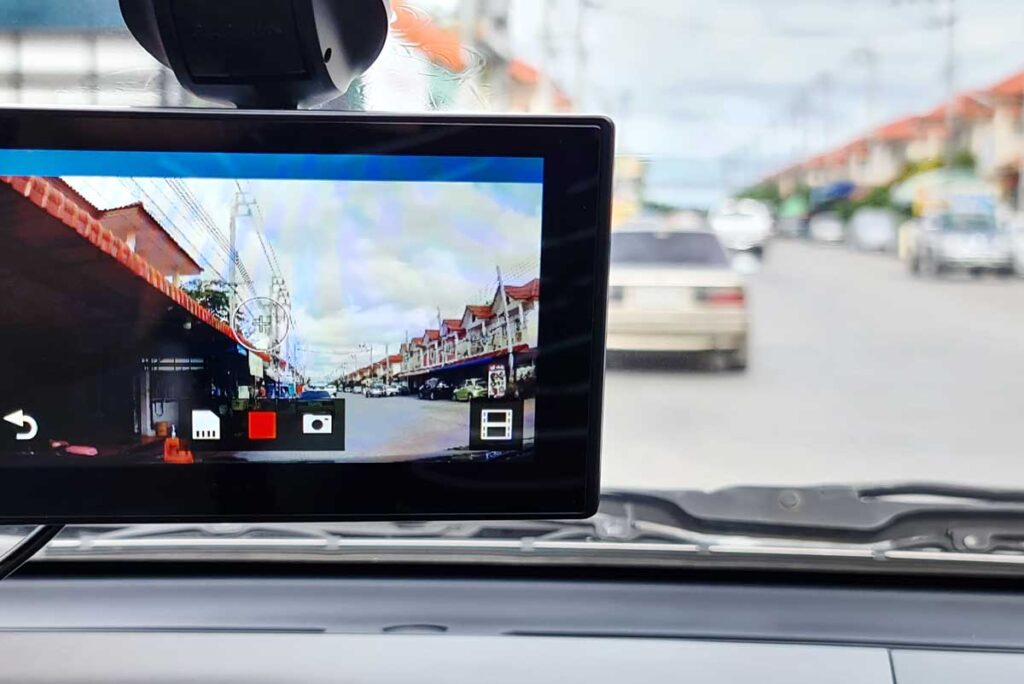
A dash camera records a view such as the road ahead, the vehicle interior, the rear, or the sides. Recording can be continuous, event-triggered, or both. Storage may be local, cloud-based, or a combination. A standalone camera does not necessarily include GPS, cellular connectivity, remote access, AI analysis, or driver coaching.
Video telematics
Video telematics links footage with data such as time, location, speed, accelerometer readings, or a configured event. This can make relevant clips easier to find than reviewing hours of continuous recording. Available data and retrieval options depend on the camera, telematics hardware, vehicle compatibility, connectivity, platform, and subscription.
AI-enabled camera analytics
Some systems use software models to classify visible conditions or behaviors, such as possible phone use, following distance, lane position, or seat-belt use. Detection categories and performance vary by vendor, camera angle, lighting, weather, occlusion, vehicle movement, and configuration. An AI label is a prompt for review, not an automatic finding of unsafe conduct or fault.
Driver-monitoring systems
A driver-monitoring system, or DMS, uses a driver-facing camera or other sensors to estimate conditions such as gaze direction, eyelid closure, head position, or possible distraction. Not every driver-facing camera includes DMS, and not every DMS uses the same signals or thresholds. Sunglasses, glare, camera placement, face coverings, and normal driver movements can affect results.
Advanced driver assistance systems
Advanced driver assistance systems, or ADAS, can warn about or assist with conditions such as forward collision risk, lane departure, or blind spots. ADAS is not the same as fleet video analytics, although a product may integrate related warnings with video. NHTSA explains that driver-assistance features have different functions and limitations; the driver remains responsible for operating and monitoring the vehicle.
GPS and telematics data
GPS can associate a clip with location and time. Telematics sensors may add speed, ignition, braking, acceleration, or other supported information. Refresh rates, accuracy, and available vehicle data vary. A camera timestamp, map position, or speed value should be validated before it is used for a consequential decision.
Event detection and alerts
Events may be triggered by accelerometers, vehicle data, GPS-derived values, camera analytics, or combinations of signals. A harsh-braking event might reflect risky following distance, traffic, an obstacle, road conditions, or an incorrect threshold. Alerts can also be missed. Fleets should measure false positives and false negatives, review representative clips, and tune thresholds carefully.
Driver coaching workflows
Coaching is the human process used after an event is reviewed. A useful workflow defines who reviews footage, which events require action, how context is documented, how drivers can respond, and when positive performance is recognized. The camera does not coach effectively on its own, even when a platform generates suggested topics or in-cab alerts.
Cloud video storage and retention
Connected systems may upload event clips automatically and allow requested footage to be retrieved while it remains on the device. Continuous cloud recording is a different service and may require more bandwidth and storage. Confirm what is stored locally and in the cloud, the default retention period, whether important clips can be preserved, and what happens when service ends.
Camera Views and Placement
Road-facing cameras document the forward scene. Driver-facing cameras show the cab and can support DMS or coaching when those functions are included. Dual-facing units combine road and cab views. Multi-camera systems may cover the rear, cargo area, sides, or equipment.
Placement affects both evidence quality and analytics. The camera should have the intended field of view without materially obstructing the driver’s view or interfering with vehicle equipment. Consider windshield tint, wipers, glare, visors, mirrors, air bags, heating elements, and local mounting requirements. Calibrate supported ADAS or analytics features according to the manufacturer and verify the view after installation.
Use professional installation when the product or vehicle requires it. Test power behavior, ignition detection, camera orientation, audio settings, storage, cellular signal, and event upload before placing the system in normal service.
What Video Telematics Can and Cannot Establish
Video can add valuable context to a reported collision, near miss, complaint, theft, vandalism, or coaching event. However, a clip may not show every vehicle, signal, road condition, sound, or action. Camera perspective, missing footage, timestamp accuracy, retention, and chain of custody can affect how useful it is.
Footage may help an insurer, attorney, law-enforcement agency, or fleet investigate an event, but it does not automatically determine cause, liability, or fault. Preserve relevant files and metadata according to established procedures and obtain qualified advice for legal or insurance matters.
Video and event data may support a broader safety program, but they do not guarantee fewer crashes or improved driving. Insurance discounts and claims outcomes depend on the insurer and policy. Theft alerts or footage may assist an investigation, but they do not prevent theft or guarantee recovery.
GPS, idling, or route data included with some systems may reveal operational opportunities, but video telematics does not inherently optimize routes, reduce fuel use, improve productivity, or deliver a particular ROI. Those outcomes depend on the included features, the fleet’s baseline, adoption, coaching, and operational changes.
Building a Fair Driver-Coaching Process
- Define review standards. Specify the event types, evidence, and context reviewers should consider.
- Use human review. Check the footage and available data before contacting a driver or assigning a consequence.
- Allow driver context. Give the driver a consistent way to explain traffic, road, vehicle, or emergency conditions.
- Separate coaching from discipline. Document when an event is educational and when existing policy requires escalation.
- Recognize positive performance. Use reviewed footage to reinforce defensive actions as well as address risk.
- Audit consistency. Check whether reviewers apply the same standards across drivers, locations, and supervisors.
Managers should be trained to recognize the limits of short clips and automated labels. A large alert queue can also encourage rushed review, so thresholds and workload should be set at a level the team can manage responsibly.
Privacy, Access, and Retention
Before deployment, decide whether the system will record the road, cab, audio, passengers, or off-duty activity. Review applicable employment, privacy, recording, labor, and retention requirements for every operating location. This article is not legal advice.
- Driver communication: Explain what is recorded, when recording occurs, why the data is used, who can see it, and how long it is retained.
- Access controls: Limit footage and exports to authorized roles, use strong account protection, and review access logs when available.
- Retention: Keep routine footage only as long as needed under a documented policy, while preserving incident-related material through an appropriate hold process.
- Sharing: Define approval and secure-transfer procedures for insurers, attorneys, law enforcement, customers, and vendors.
- Vendor controls: Review data ownership, storage locations, encryption, subcontractors, deletion, export, breach procedures, and end-of-contract access.
How to Evaluate a Video Telematics System
- Camera coverage: Choose road, driver, rear, side, or cargo views based on specific risks and workflows.
- Hardware and installation: Confirm vehicle compatibility, power, mounting, environmental rating, tamper controls, calibration, and replacement procedures.
- AI, DMS, and ADAS scope: Ask for the exact supported detections, alert behavior, limitations, and configuration options. Do not assume the terms describe the same functions across vendors.
- Connectivity: Review cellular coverage, offline behavior, upload priority, bandwidth, roaming, and the process for requesting non-event footage.
- Storage and retention: Compare local capacity, cloud retention, clip extension, download quality, preservation, and additional storage charges.
- Review and coaching: Test event queues, context, notes, driver assignment, dispute handling, coaching records, permissions, and reporting.
- Integrations: Verify the specific GPS, telematics, fleet-management, claims, or identity data exchanged, including timing, API limits, and fees.
- Support and contracts: Compare installation help, training, support hours, warranties, replacements, subscriptions, minimum terms, renewals, cancellation, and equipment returns.
Run a Representative Pilot
Test the proposed configuration in a representative mix of vehicles, routes, lighting, weather, coverage areas, and driver roles. Define evaluation measures before the pilot, including image quality, event accuracy, missed events, false alerts, upload time, retrieval success, reviewer workload, driver feedback, support responsiveness, and total implementation effort.
Review the pilot with drivers and managers. Adjust placement and thresholds, document unresolved limitations, and calculate total cost for the intended fleet size. A pilot cannot guarantee future safety or financial outcomes, but it can expose practical issues before a larger commitment.
Using Video Telematics Responsibly
Vehicle video telematics is most useful when the chosen camera views, data, alerts, policies, and review process match the fleet’s actual risks. It should support informed decisions, not replace human judgment.
Geosavi offers video telematics solutions that can connect camera footage with fleet information. Before selecting a system, confirm the camera configuration, AI or DMS functions, connectivity, storage, retention, access controls, coaching workflow, support, and contract terms included. Contact Geosavi to discuss the vehicles, operating environment, and review requirements.