Key takeaways:
- A vehicle telematics system collects data in or around a vehicle, sends that data through a communications network, and displays it in software.
- GPS/GNSS positioning, telematics hardware, cellular service, and fleet-management software are separate parts of the system.
- ELD/HOS, video, routing, maintenance, diagnostics, driver-event monitoring, and asset tracking are optional capabilities. Do not assume every telematics product includes them.
- Data quality and available features depend on the device, installation, connectivity, vehicle compatibility, integrations, configuration, and vendor.
- Telematics can reveal opportunities to improve operations, but fuel, maintenance, safety, productivity, insurance, theft-recovery, and ROI results are not guaranteed.
What Is a Vehicle Telematics System?
A vehicle telematics system connects information from a vehicle or mobile asset with software that helps an authorized user understand its location, use, condition, or operation. A typical setup has four parts: a positioning receiver, telematics hardware, a communications method, and a software platform.
The term is broader than GPS tracking. GPS tracking primarily answers where a vehicle is and where it has traveled. Telematics can also collect selected vehicle or driver-event data, but only when compatible hardware, sensors, integrations, and software features are present.
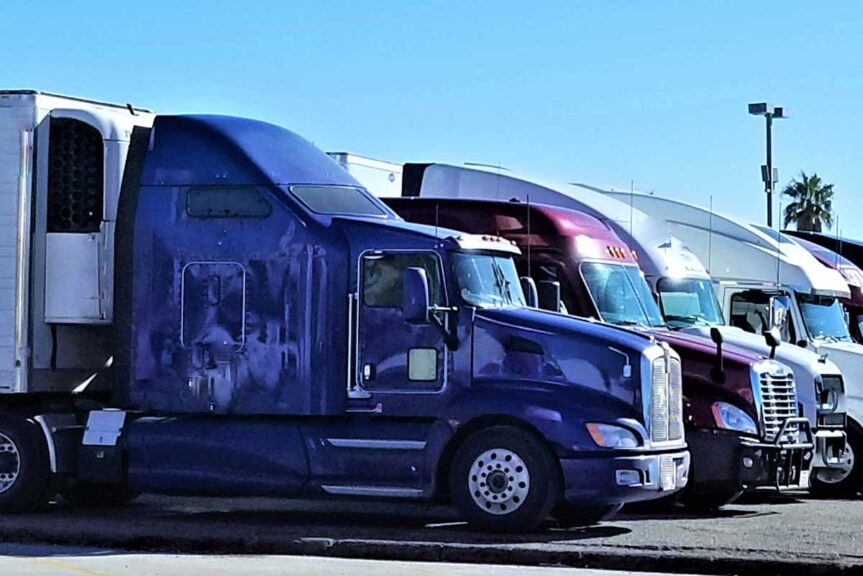
How Vehicle Telematics Systems Work
1. GPS or GNSS positioning
A receiver calculates position from satellite signals. GPS is the U.S. satellite navigation system; GNSS is the broader term for satellite navigation constellations. Position data should not be described as exact in every situation. According to GPS.gov, receiver design, satellite geometry, signal blockage, atmospheric conditions, and the surrounding environment can affect accuracy.
2. Telematics hardware and vehicle connections
A plug-in, hardwired, embedded, or battery-powered device may collect position, time, ignition status, motion, or other sensor data. Some devices can read compatible vehicle data through an OBD-II port, a manufacturer interface, or another connection. Available diagnostic information varies by vehicle, device, installation, and permissions.
3. Communications
The device usually sends data over a cellular network. Some products can also use Wi-Fi, Bluetooth, satellite communications, or store-and-forward methods. Update frequency and availability depend on the product, coverage, signal conditions, data plan, power, and configuration. A system may retain data while offline and upload it after reconnecting, but this behavior is product-specific.
4. Fleet-management software
A web portal or mobile app converts incoming data into maps, histories, alerts, reports, and workflows. Fleet-management software is the user-facing application; it is not the same thing as the tracking device or communications network. The software may also connect with dispatch, maintenance, payroll, fuel-card, or other business systems when supported integrations are available.
Telematics and Related Fleet Tools
Fleet technology terms are often used interchangeably, but they describe different functions:
- GPS tracking: Uses location and time data to show vehicle position, trips, stops, or geofence activity. Refresh intervals and accuracy vary.
- Vehicle diagnostics: Reads supported vehicle information such as diagnostic trouble codes or selected engine parameters. Not every vehicle exposes the same data.
- Driver-behavior or event data: Flags configured events such as speeding, hard braking, rapid acceleration, or long idling. Thresholds, context, and sensor quality affect how events should be interpreted.
- ELD/HOS functionality: Records a driver’s record of duty status and driving time for applicable Hours of Service requirements. An ELD is a regulated function, not a synonym for telematics. FMCSA notes that an ELD may be part of a fleet-management system, but fleet-management functions are not required for ELD compliance. Fleets subject to the rule should confirm the specific model appears on the FMCSA registered ELD list and assess the product for their operation.
- Video telematics: Combines camera footage with time, location, or event data. It requires compatible cameras, storage, connectivity, policies, and software.
- Routing and dispatch: Assigns work or plans routes using inputs such as stops, capacity, schedules, traffic, or vehicle location. Location visibility alone does not provide route optimization.
- Maintenance tools: Schedule service and organize inspections, work orders, or fault information. A telematics feed can support these workflows, but it does not diagnose every problem or replace qualified inspection and repair.
- Asset tracking: Monitors trailers, equipment, or other non-powered and powered assets. Asset trackers may use different power sources and reporting intervals than vehicle devices.
Common Hardware Options

Plug-in devices
These devices connect to a compatible diagnostic or accessory port and can be relatively quick to install. Port location, vehicle compatibility, security, and the data available through the connection should be confirmed before deployment.
Hardwired devices
Hardwired units connect to vehicle power and may support additional inputs or a more permanent installation. Professional installation may be appropriate, and any installation must follow the vehicle and device manufacturers’ instructions.
OEM or embedded telematics
Some vehicles have factory-installed connectivity. Data access, supported models, subscriptions, refresh rates, and integration options vary by manufacturer and provider.
Smartphone-based solutions
A mobile app can use a phone’s positioning and motion sensors for selected functions. Results depend on phone availability, permissions, battery, network service, and consistent driver use.
Asset trackers
Battery- or solar-powered trackers can support trailers and equipment that do not have a constant power source. Battery life is affected by reporting frequency, temperature, coverage, and device configuration.
What Telematics Can Help a Fleet Measure
Depending on the system, a fleet may be able to review current or recent location, trip history, mileage, engine hours, idling, geofence activity, configured driving events, fault information, or utilization. Reports can make patterns easier to investigate, but data needs context. For example, a harsh-braking event may reflect risky driving, an obstacle, traffic, or a sensor threshold.
Geofences are virtual boundaries on a map. A supported system can generate an event when a device enters or leaves a defined area. That can help document arrivals, departures, yard activity, or possible unauthorized movement, subject to device reporting intervals and connectivity.
Alerts and reports do not create operational improvements by themselves. A fleet needs clear policies, accurate configuration, responsible review, driver communication, and a consistent response process.
Potential Benefits and Important Limits

Useful telematics data may help a fleet identify excessive idling, inefficient routing, underused assets, overdue service, or driving events that merit coaching. Acting on verified patterns may reduce some costs or improve operations. The result depends on the fleet’s baseline, vehicle mix, routes, management practices, adoption, and the accuracy and completeness of the data.
Likewise, location history and geofence alerts may assist with a theft investigation or recovery, but they do not prevent theft or guarantee recovery. Driver-event data may support a safety program, but it does not prove fault or guarantee fewer crashes. Diagnostic alerts may provide earlier notice of some conditions, but they cannot identify every mechanical problem or guarantee that a breakdown will be avoided.
Insurance discounts, regulatory compliance, fuel savings, productivity gains, and ROI are also specific to the insurer, operation, product, contract, and implementation. Verify each claim against written program terms and measure performance against a documented baseline.
How to Choose a Vehicle Telematics System
Start with the decisions and workflows the fleet needs to support. A small local service fleet may prioritize simple location and dispatch visibility, while a multi-state carrier may need ELD/HOS tools, integrations, and more detailed reporting.
For examples of how providers differ, see our vehicle telematics comparison.
- Define required functions: Separate must-have capabilities from optional ones, including GPS tracking, diagnostics, video, ELD/HOS, routing, dispatch, maintenance, and asset tracking.
- Confirm vehicle and hardware compatibility: Check vehicle years, makes, models, power sources, ports, installation requirements, and any OEM data limitations.
- Evaluate connectivity: Review coverage, offline behavior, reporting intervals, data retention, and any roaming or satellite options relevant to the operating area.
- Test the software: Ask users to evaluate maps, alerts, mobile access, reports, permissions, and day-to-day usability with realistic workflows.
- Check integrations: Confirm that the specific data and workflow needed are supported by documented APIs or integrations, not merely that two products appear on a partner list.
- Review privacy and security: Understand who owns the data, who can access it, how long it is retained, how accounts are protected, and how drivers will be informed.
- Understand support and implementation: Compare installation, training, onboarding, replacement procedures, response times, and escalation options.
- Compare contract terms and total cost: Include hardware, installation, activation, subscriptions, cellular service, cameras or accessories, integrations, training, minimum terms, renewals, early termination, and equipment return requirements.
A limited pilot can help verify data quality, coverage, usability, installation time, and integration behavior before a broader rollout. Define success measures in advance so the test is based on operational evidence rather than a sales demonstration.
Implementation and Ongoing Management

- Document goals and a baseline. Record the current measures relevant to the project, such as idling time, utilization, service compliance, or response time.
- Install and configure carefully. Follow manufacturer guidance, verify device assignments, set sensible thresholds, and test data from representative vehicles and operating areas.
- Set access and privacy rules. Use role-based access where available, protect accounts, explain what data is collected, and follow applicable employment, privacy, and retention requirements.
- Train users. Dispatchers, managers, technicians, and drivers may need different guidance. Explain how alerts will be reviewed and how incorrect data can be reported.
- Validate the data. Investigate gaps, duplicate vehicles, incorrect assignments, implausible events, and integration failures before relying on reports.
- Review results. Compare defined measures with the baseline and account for seasonal, route, staffing, and fleet changes. Adjust settings and processes as the operation evolves.
Choosing Technology That Fits the Operation
Vehicle telematics systems range from basic location tools to broader platforms that combine several fleet workflows. The right choice is the system that reliably provides the required information, works with the fleet’s vehicles and existing tools, and has acceptable support, contract terms, and total cost.
Geosavi offers GPS tracking and fleet telematics solutions. Before selecting a system, confirm the exact hardware, connectivity, features, integrations, and service terms included in the proposed configuration. Contact Geosavi to discuss the fleet, operating area, and required workflows.