Key Takeaways
- A video telematics safety score summarizes selected driving events. Its scale, event weights, review process, and time window depend on the provider and fleet configuration.
- Review the underlying clips and event details before coaching. A score alone cannot establish why an event occurred or whether it was correctly flagged.
- Geosavi offers video telematics with optional driver-facing AI detection, ADAS alerts, and cloud-based AI driving-event analysis; confirm which functions are included in your selected package.
- Internal driver scores do not feed directly into FMCSA’s Safety Measurement System (SMS). SMS uses eligible inspection violations, crashes, and other specified carrier data, not a camera vendor’s score. See FMCSA’s SMS overview.
Introduction
Fleet managers may start with cameras to document incidents, then use flagged events to guide coaching. Some video telematics platforms also provide driver or fleet safety scores. Those scores can help identify patterns worth reviewing, but they do not predict a violation, determine an insurance rate, or establish a carrier’s federal safety standing.
A score is most useful when managers can see which events contributed to it, review the supporting footage, and understand the provider’s scoring rules. A difference between two driver scores cannot be translated into a CSA percentile or insurance-rate change.
Here is what we cover: which events feed into a video telematics safety score, how the calculation works, how to interpret the output without confusing it with federal safety data, and which steps actually move scores in the right direction. For a full look at the hardware and camera packages we offer, visit our video telematics. If you want to talk through how these tools work alongside your ELD setup, our team is available at (800) 261-4361 or through the Geosavi support line.
What Are Video Telematics Safety Scores?
A video telematics safety score is a provider-defined summary of selected driving events over a stated period. It is an indicator for review, not a complete or independent measure of how safely someone drove. Detection depends on the equipment, settings, available data, and whether flagged events are reviewed.
There is no universal industry scoring formula. Depending on the system, a hard-braking event may be logged with a timestamp, sensor reading, and video clip. A provider may then combine event counts, severity, exposure, and reviewed context over a chosen time window. Ask to see the specific scoring rubric before comparing drivers.
Some providers report trip-level scores or rolling trends, but update frequency and available time windows vary. Trends can be more informative than a single reading. A driver with a rough week followed by clean driving will show an improving trend, which tells a different story than the same score held flat for four months.
The score is only useful when you know what built it. Most fleets lose the value here: they act on the number without understanding the inputs, which makes coaching conversations unfocused and improvement unpredictable. Understanding which events feed that number is the first step toward fixing it consistently, which is what the next section covers.
What Driving Events Affect a Driver’s Safety Score?
Depending on the platform and configuration, score inputs may include harsh braking, speeding, hard cornering, distraction, close following, or seatbelt alerts. These camera or sensor events are not the same as documented roadside violations. Some systems also offer ADAS alerts, which may or may not affect the score.
Harsh braking is detected by the accelerometer inside the camera device when deceleration exceeds a set threshold. A hard stop may be appropriate when traffic changes suddenly. Repeated alerts warrant a review of the clip, route, and following distance before drawing a coaching conclusion.
Speeding is detected by GPS speed data matched against posted limit data or by comparing engine output to speed zones. Depending on how your system is configured, you may receive events for any speed above the limit, for speed exceeding it by a set margin, or for highway-specific thresholds only. Each configuration produces a different event frequency, which matters when you compare scores across drivers on different route types.
Hard cornering is measured laterally by the accelerometer, indicating high-speed turns, aggressive lane changes, or swerving. The meaning of a cornering alert depends on the vehicle, load, road, and configured threshold. Review the event context before treating it as unsafe driving.
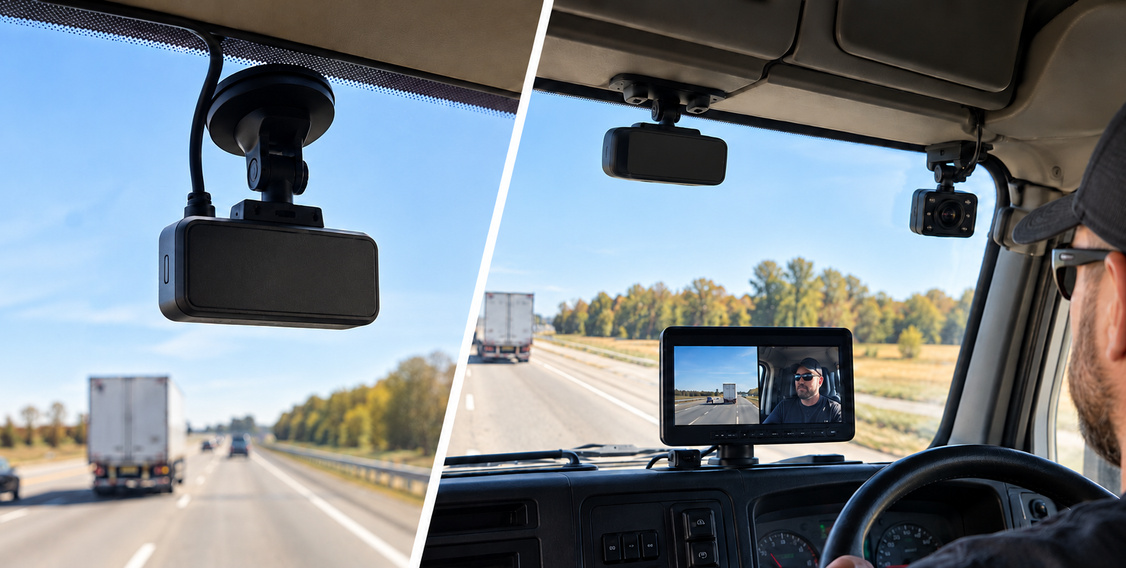
Distracted driving is where AI-assisted video analysis has changed most in recent years. Geosavi lists an optional snap-on driver-facing camera for the Xirgo KP2 with AI-powered distraction and fatigue detection. Confirm the exact detected behaviors, alert settings, and review workflow for your selected package before relying on any flagged event.
ADAS alerts work alongside behavioral scoring rather than replacing it. The Xirgo KP2 generates alerts for tailgating, forward collision risk, lane departure, and pedestrian detection, all processed by the forward-facing camera in real time. ADAS alerts indicate a detected condition or potential hazard, not proof that a collision was imminent. Review them alongside footage and other trip context when coaching.
Following distance violations are calculated from forward-facing camera data using object detection to measure the gap between your vehicle and the one ahead. Consistently short following distance carries the same risk profile as harsh braking and often produces both event types in the same trip.
Seatbelt non-compliance is detected by in-cab cameras that can read whether the belt is fastened. Whether a seatbelt alert affects the score, and by how much, depends on the provider’s configuration. Confirm the alert against the footage before acting.
The relative weight each event carries depends on your provider’s model and whether your fleet has customized the thresholds. How the system uses those inputs to build a final number is where providers vary most, and that variation is what the next section explains.
How Does a Video Telematics Safety Score Get Calculated?
A provider may weight events by type and severity and adjust for exposure, such as miles or driving time. Others use a different formula. Check whether and how the system accounts for trip length, route conditions, and incomplete data before comparing drivers.
In one possible model, more severe or frequent events reduce a score. But point values, exposure adjustments, and even the score scale are provider-specific. Ask for the documented calculation and sample event breakdown.
Do not compare scores across providers as if they share a common scale. Confirm which direction indicates better performance, what events count, and how the reporting window works.
Geosavi’s video telematics options include cloud-based AI driving-event analysis that helps reduce false positives. Public product information does not establish that every flagged event receives AI review before it affects a score. Ask Geosavi which events are reviewed, how a disputed event is handled, and whether a confirmed false positive can be excluded.
The time window matters as much as the calculation method. A shorter window may show recent changes faster, while a longer window may smooth short-term variation. Use the periods your platform actually supports and compare like with like.
How Do You Read and Act on Your Fleet’s Score Data?
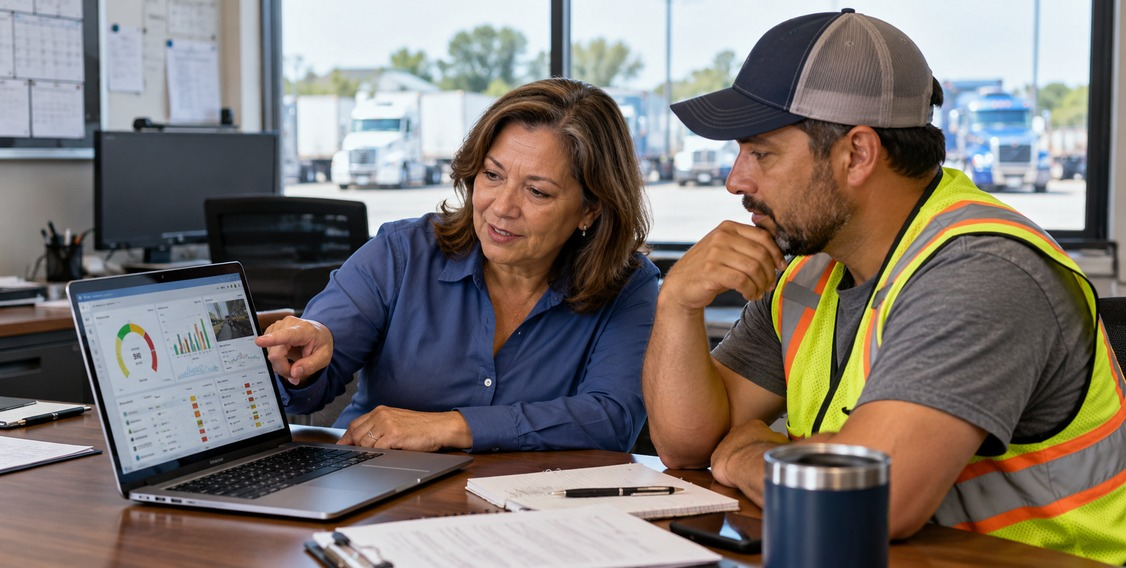
A fleet-level average tells you where you stand broadly, but it does not tell you what to do. Start with the distribution of scores within the same system and fleet, then inspect the events behind outliers or recent changes.
Do not use a universal cutoff such as 70 to label a driver high-risk. Prioritize coaching using your documented rubric, repeated validated events, severity, and operating context.
Drivers with recurring, validated events may benefit from targeted coaching regardless of their numeric score. Looking at which event type appears most frequently for each driver in this range tells you exactly what to address. A driver whose score is dragged by following distance events needs a different conversation than one whose score is dragged by speeding on a specific route.
Recognize sustained safe practices while checking that the score reflects enough driving and reliable data. Attrition is expensive in commercial trucking, and your safest drivers are often the most qualified to contribute to peer coaching programs and route-specific safety notes.
Reporting frequency matters too. Weekly score reports sent directly to drivers create a feedback loop short enough to change behavior. Monthly reports that only managers see tend to produce slower improvement because too much driving happens between the behavior and the feedback.
The most common failure in fleet scoring programs is reviewing data without acting on it. If a driver’s score drops and receives no response, the number loses its function as a safety tool entirely.
How Do Video Telematics Safety Scores Connect to Your CSA Record?
A video telematics score is not imported into FMCSA’s Safety Measurement System (SMS). SMS assesses motor carriers using eligible roadside inspection violations, State-reported crashes, and other specified data. A camera alert alone is not an SMS violation, although some underlying driving behavior may also result in a documented violation.
FMCSA’s Compliance, Safety, Accountability program groups violations into seven BASICs: Unsafe Driving, Hours-of-Service Compliance, Driver Fitness, Controlled Substances and Alcohol, Vehicle Maintenance, Hazardous Materials Compliance, and Crash Indicator. The Unsafe Driving BASIC includes specified violations such as speeding or improper lane changes when documented in roadside inspection data. A harsh-braking or following-distance camera alert does not automatically map to that BASIC. See FMCSA’s SMS overview and SMS methodology.
Internal scores cannot be converted into an SMS percentile or used to predict a carrier’s inspection or crash results. FMCSA calculates eligible BASIC percentiles from its own data and makes the Unsafe Driving BASIC percentile publicly available when there is sufficient data. See FMCSA’s SMS data-access FAQ.
An internal score can prompt an earlier review of driving events, while SMS reflects eligible carrier data collected through federal and State reporting. Neither metric alone proves causation or predicts a future violation. If a roadside violation is recorded inaccurately, the FMCSA DataQs system gives carriers a formal channel to request a review. For a deeper look at how driver safety data connects to crash prevention, our article on whether video telematics reduces accidents covers the research behind the safety impact.
Treat internal safety scores and CSA data as two parts of the same compliance picture, not as separate systems that belong to different departments.
What Is the Most Reliable Way to Improve Driver Safety Scores?
Score improvement follows a clear sequence: identify the event type causing the most score drag, have a specific conversation with the driver about that event, check whether behavior changes in the next reporting period, and repeat. Fleets that skip the coaching step and watch scores passively rarely see sustained improvement.
The coaching conversation is the most underdeveloped part of most scoring programs. Managers often receive a weekly report, see a score drop, and either say nothing or have a general conversation about driving carefully. Neither approach changes the specific habit. If repeated hard-braking events are confirmed, show a representative clip, discuss the traffic context, and agree on a specific behavior to practice. Do not tell a driver that the internal alert itself changes the carrier’s federal record.
Coaching is more effective when it happens close to the event rather than at an end-of-month review, because the driver can connect the feedback to a trip they remember. Systems that push event notifications directly to drivers provide real-time feedback before a manager has even reviewed the clip. That shorter feedback loop gives the driver a chance to correct the behavior before the next trip rather than waiting for a scheduled conversation.
For drivers who do not respond to coaching, the score record itself becomes documentation. Keep accurate event and coaching records under your fleet’s privacy and retention policies. Avoid treating an unverified score as a stand-alone basis for a personnel decision.
Dashcam vs. Video Telematics: What Does the Scoring Difference Look Like?
| Feature | Recording-only dashcam | Configured video telematics system |
|---|---|---|
| Video recording | Yes | Yes |
| Event alerts and review | Depends on model | Available features depend on cameras, software, and settings |
| Driver safety scores | Not inherent to recording alone | May be available; ask for the scoring rubric |
| AI detection and ADAS | Varies by product | Geosavi lists optional driver-facing AI detection and KP2 ADAS alerts |
| Fleet reporting | Varies by product | Confirm available reports and integrations with the provider |
A recording-only dashcam and a configured video telematics platform can support different workflows, but features vary by product. Compare the actual camera, alerts, scoring rules, reports, and data access in each proposal. For a full breakdown of how these two approaches differ across liability protection, driver coaching, and compliance documentation, our guide on video telematics versus traditional dashcams covers the complete comparison.
Questions to Ask Before You Choose a Video Telematics System
Working through these questions with any provider will tell you whether the system can support a scoring program that actually improves driver behavior over time. For a broader look at system selection, our guide on how to choose the best video telematics system covers the full decision process.
How is the safety score calculated, and can you show us the scoring rubric?
Ask every provider to explain in clear terms which events count, how they are weighted, and whether the model adjusts for miles, driving time, or other exposure. A provider who cannot explain this clearly is selling you a number you cannot manage. You need to understand the formula to build a coaching program around it.
Does the system use AI to review events before they count toward the score?
AI analysis may help reduce false positives, but it does not guarantee that every event is checked before scoring. Speed-limit data, road conditions, and system settings can also affect alerts. Ask whether events are AI-reviewed, manually reviewed, or counted raw from sensor data, and ask what the typical false-positive rate looks like in a fleet your size.
Can score thresholds and event weights be customized for our operation?
A fleet running dense urban routes will trigger more hard-braking events per mile than a long-haul fleet on open highways. If route conditions differ, compare driver scores carefully and review the underlying events. Confirm before signing a contract whether customization is included or costs extra.
How quickly are events and scores available after a trip ends?
Delayed score data reduces your coaching window. Cellular connectivity can support prompt event uploads, but timing depends on coverage, device configuration, and the provider’s processing workflow. Confirm data latency for event uploads, score updates, and video clip retrieval, and ask whether latency changes in areas with poor cellular coverage.
Does the system send alerts directly to drivers, and in what form?
Timely, specific feedback may make coaching easier to act on. ADAS systems generate in-cab alerts in real time as events develop on the road, which is different from score data that only a manager reviews later. Ask whether the system supports in-cab alerts, what triggers an alert versus what goes only into the management portal, and whether drivers can receive their own score reports after each trip.
What happens to our score history if we switch providers?
If your fleet has months of scoring history with a provider and you decide to switch, you may lose easy access to that baseline unless the provider offers a usable export. Ask what data exports are available, whether historical score records and individual event logs are included, and whether the export format is compatible with your existing fleet management tools.
How does the scoring platform integrate with our existing ELD and fleet management system?
A safety score that lives in a separate portal, disconnected from your HOS records and driver compliance data, is harder to act on than one that shares data with your existing tools. Ask whether the video telematics system can exchange data with your ELD platform. Geosavi also offers an ELD platform and GPS tracking; confirm the specific integrations and data views available with your chosen setup.
What is the provider’s process for disputing a flagged event the driver believes is inaccurate?
If a driver can see their score drop from a flagged event they believe was a false positive and has no way to dispute it, trust in the scoring system erodes quickly. Ask whether managers can remove confirmed false positives from the record, how long that process takes, and whether disputed events are excluded while under review.
Common Questions
About Video Telematics Safety Scores
What is a good video telematics safety score for a commercial driver?
There is no universal or FMCSA-defined good video telematics score. Providers use different scales, inputs, and thresholds. Compare a driver’s result with the same platform’s documented rubric, validated event details, exposure, and a relevant fleet baseline.
How often does a driver’s safety score update?
Update timing and reporting windows vary by provider. Some systems show trip-level results or rolling trends. Check your platform’s settings and use the same time window when comparing results.
Can a single bad event significantly move a driver’s score?
It depends on the provider’s event weights, reporting window, and amount of driving data. Review the event and the score breakdown before interpreting a sudden change.
Does a low safety score affect a driver’s federal record?
No. A video telematics safety score is an internal metric and does not appear on a driver’s CDL history or in the FMCSA Safety Measurement System. Some behaviors flagged by a camera may also lead to documented roadside violations. The camera score itself does not enter SMS; eligible inspection violations and other specified carrier data do. The CSA section above explains that connection in detail.
What happens to the score during a connectivity loss?
There is no universal rule. A device may store data locally and upload it later, or a provider may handle incomplete trips differently. Ask how your system marks missing data, when scores recalculate, and whether an outage changes reported averages.
Is in-cab camera footage stored locally or in the cloud?
Our Xirgo KP2 stores footage on a 64GB microSD card that holds more than 50 hours of continuous footage before overwriting. Event-triggered clips are uploaded to the cloud for remote access during post-incident review and coaching. For multi-camera setups using the CP4S recorder, storage can be expanded up to 1TB via an SD card. Ask about cloud retention periods before finalizing a contract, as retention length typically varies by plan.
About Managing Score Data in Your Fleet
How many drivers should I be coaching based on safety scores?
Prioritize drivers in the lowest score tier first and set a regular coaching cycle for that group. For drivers in the mid-range, review the specific event type dragging their score most and focus that conversation on one behavior at a time. Drivers with strong scores do not need coaching pressure, but recognizing their performance publicly costs nothing and matters for retention.
Should drivers be able to see their own scores?
Yes. Drivers with direct visibility into their own scores are more likely to engage with coaching and more likely to understand why a conversation is happening when a manager initiates it. Transparency also reduces suspicion about how the system is being used during initial rollout. Giving drivers access to their own data and a clear process to dispute events removes most resistance before it starts.
How do I use safety score history in a post-accident review?
Review the relevant trip footage and a reasonable period of prior event history, subject to your retention and privacy policies. The score alone cannot establish whether an incident was part of a pattern. Score history also documents what coaching, if any, was delivered in the weeks prior, which is relevant if the accident results in an insurance claim, litigation, or a carrier investigation.
What score level should trigger a formal performance review?
There is no federally mandated threshold for internal fleet safety scores. Your policy should define in writing the score level that triggers a mandatory coaching conversation, the level that requires a ride-along review, and the level that initiates a formal performance process. Setting those thresholds before the system goes live protects both the fleet and the driver from inconsistent treatment after an incident.
How does safety scoring interact with hours-of-service compliance?
A video telematics safety score and your HOS records are separate data sets, but they operate in the same compliance environment. HOS records and camera events can provide different context, but neither alone diagnoses fatigue or establishes an HOS violation. If a driver’s score drops consistently during late-in-shift segments, that pattern is worth examining alongside their HOS logs. Our article on how ELDs promote safer roads covers the connection between hours tracking and on-road behavior in more detail.
What should we tell drivers when we first launch a scoring program?
Tell them what the cameras detect, how the score is calculated, how scores are used in performance conversations, who can access footage, and how they can dispute a flagged event they believe was inaccurate. Explain the policy clearly and invite driver questions during rollout.
Conclusion
A video telematics safety score does not manage itself, and cameras alone do not make a fleet safer. The score is useful only when the people responsible for the fleet understand what built it, use that information in specific coaching conversations, and track whether those conversations are changing the trend.
Some behaviors flagged by cameras may also result in roadside violations, but the internal score does not enter SMS and cannot establish a future BASIC percentile, out-of-service rate, or insurance outcome. Use validated events for coaching and review federal carrier data separately.
To talk through how fleet compliance tools, ELD data, and driver monitoring can work together in your operation, call our team at (800) 261-4361 or schedule a call with our team, and we will walk through your current setup with you.